Ever stared at an empty fridge and felt the panic of not knowing what to cook tonight? That’s the exact spot where a meal planner with grocery list app can swoop in like a friendly sidekick. Let’s explore why that little digital helper feels like a game‑changer for busy lives.
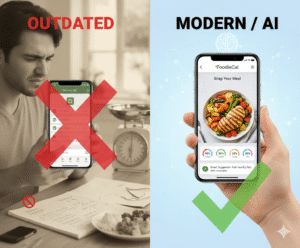
Picture this: you’re a tech‑savvy professional juggling meetings, workouts, and a family dinner. You snap a photo of today’s leftovers, and the app instantly logs the calories while suggesting tomorrow’s breakfast based on what’s already in your pantry. No more mental gymnastics or endless scrolling through recipe blogs.
Here’s a quick three‑step routine to get the most out of your planner: 1️⃣ Pull up your weekly goals – weight loss, muscle gain, or just balanced nutrition. 2️⃣ Drag‑and‑drop meals onto the calendar, and watch the app auto‑generate a grocery list that groups items by store aisle. 3️⃣ Tick off each ingredient as you shop, and the app updates your pantry inventory in real time.
Real‑world example: Sarah, a busy mom of two, used the app to plan her family’s meals for a week. By snapping photos of her grocery receipts, the system learned her preferred brands and suggested healthier alternatives without her having to hunt for them. She reported a 20% drop in food waste and saved roughly an hour each shopping trip.
If you’re skeptical about AI nudges, consider what nutritionists say: personalized prompts improve adherence to dietary plans by up to 30%. While we don’t have a hard study to cite here, many coaches notice clients stick to their goals longer when the app sends timely reminders to restock staples.
A tip from our product team: before you hit “generate list,” double‑check the portion sizes. The app tends to default to standard servings, which can overshoot if you’re cooking for one. Adjusting those numbers early saves you from a cart full of extra veggies you’ll never use.
Integration is painless, too. Sync the app with your favorite grocery delivery service, and the list auto‑populates the checkout page. That means you can order everything while you’re waiting for your coffee, turning a chore into a 5‑minute breeze.
And if you love seeing the bigger picture, the dashboard visualizes your macro trends over weeks, highlighting where you might be low on protein or high on sodium. Those insights let you tweak next week’s plan before you even step into the store.
Ready to give it a spin? Dive into the Home – Foodiecal page, set up your first weekly plan, and watch the grocery list grow automatically. For a glimpse at how AI is reshaping everyday workflows, check out Assistaix, a platform that automates business tasks – the same tech muscle behind your meal planner.
TL;DR
A meal planner with grocery list app streamlines your menus, generates shopping lists, and syncs with services so you spend minutes, not hours, prepping meals.
By tracking portions, macros, and leftovers in time, it keeps you on target for weight, fitness, or eating smarter, turning fridge moments into confident choices.
1. AI‑Powered Photo Food Tracking
Ever wonder how a single snap of your dinner can magically become a full nutrition entry, saving you minutes of tedious data entry? That’s the promise of AI‑powered photo food tracking, and it sits right at the heart of a meal planner with grocery list app.
1. Snap, Identify, Log
First, you point your phone at the plate. The AI scans the image, recognizes ingredients, estimates portion sizes, and writes the calories, macros, and even micronutrients into your daily log. No need to hunt for a food database or guess serving sizes. It feels like the app is reading your mind, but it’s really just a well‑trained neural network.
2. Real‑Time Grocery Suggestions
Once the meal is logged, the planner instantly flags what you’ll need for the next few days. If you’ve just eaten a lot of quinoa, the app might suggest adding more leafy greens to balance protein. It then adds those items to your grocery list, grouped by aisle, so you never wander the store aimlessly.
3. Personalization That Grows With You
Every photo you snap teaches the system a little more about your preferences. Over weeks, the AI learns you love roasted chickpeas but avoid dairy, and it starts nudging you toward recipes that match those habits. Think of it as a diet coach that never sleeps.
Want to see how automation works beyond food? Check out Assistaix’s AI automation platform for a glimpse at the technology powering these smart nudges.
4. Seamless Integration with Meal Planning
When the photo is logged, the app automatically updates your weekly calendar. If you’ve logged a high‑protein lunch, the planner may suggest a lighter dinner to keep your macros in check. The grocery list updates in real time, so if you decide to swap salmon for tofu, the list reflects that change instantly.
5. Scaling Up for Teams and Families
For busy households or fitness groups, the same photo‑tracking engine can be shared across multiple accounts. Each member gets a personalized view, yet the pantry stays synced. That means one person can buy the bulk ingredients, and everyone sees the updated stock, cutting down on duplicate purchases.
Businesses looking to embed similar AI capabilities into their own apps often turn to platforms like Scalio for scalable backend infrastructure.
Here’s a quick checklist to make the most of photo tracking:
- Keep lighting even – natural light reduces mis‑identifications.
- Capture the whole plate, not just a corner, for accurate portion estimates.
- Review the auto‑generated macro breakdown before confirming; a quick tweak can prevent over‑ or under‑eating.
- Sync the updated grocery list right after logging, so you never miss a needed ingredient.
- Use the weekly macro view to spot trends – low iron? add spinach. High sodium? swap processed snacks.
And if you’re a visual learner, this short demo shows the flow from snap to grocery list in under a minute:
Remember, the magic isn’t just in the AI—it’s in how you use the insight. After a week of photo logging, take a moment to scan your macro trends. Are you consistently low on iron? Maybe add a spinach salad next weekend. Are you over on sodium? Swap processed snacks for fresh fruit. Small adjustments, powered by the data you captured with a single click.

Bottom line: AI‑powered photo food tracking turns a chaotic kitchen into a data‑rich, low‑effort planning hub. By letting the camera do the heavy lifting, you free up mental space for the things that really matter—like actually enjoying the meal.
2. Personalized Meal Suggestions Based on Fitness Routines
Ever finished a sweaty HIIT session and stared at the fridge wondering what to eat? You’re not alone. The gut‑brain connection makes us crave carbs after cardio, but the right fuel can actually speed recovery and keep the scale happy.
That’s where a meal planner with grocery list app becomes your backstage crew. It reads your workout log, matches it to your nutrition goals, and spits out meal ideas that feel like they were hand‑picked by a coach who knows you.
1️⃣ Match macro needs to workout type
If you’ve logged a leg‑day strength routine, the app will bump up protein and complex carbs for muscle repair. For a yoga flow, it may suggest lighter, micronutrient‑rich bowls. The logic mirrors what 8fit does: you set a goal, tell the app your fitness level, and it serves a weekly meal plan that aligns with those workouts according to 8fit’s customizable meal plans.
Real‑world tip: after a 45‑minute run, look for suggestions like a quinoa‑black bean salad with a drizzle of olive oil – that combo gives carbs for glycogen refill and protein for muscle stitching.
2️⃣ Auto‑adjust portions based on intensity
Most days you’ll feel “I could eat a horse” or “just a snack.” The app reads your heart‑rate data (if you sync Apple Health) and scales portions up or down. It’s not guesswork; it’s data‑driven.
Try this: after a high‑intensity interval session, the planner might add a side of sweet potato to your post‑workout chicken, ensuring you get the extra calories you burned.
3️⃣ Ingredient swaps that respect preferences
Got a dairy intolerance? The planner swaps Greek yogurt for coconut kefir without breaking the macro balance. Vegans get tofu or lentils instead of beef. It even suggests alternative spices to keep flavor alive.
For example, Sarah, a busy mom, replaced cheese‑laden casseroles with cauliflower‑rice gratins after the app flagged her calcium intake as high. She saved money and felt lighter.
4️⃣ Build a grocery list that mirrors your week
Every suggested meal auto‑populates a shopping list sorted by aisle. No more wandering the store with a mental scramble of “need broccoli, maybe carrots?” The list knows you already have canned beans, so it only adds fresh veggies.
Pro tip: open the list on your phone while you’re in the parking lot. Tick off items as you walk the aisles – the app updates your pantry inventory in real time.
5️⃣ Quick‑fire snack ideas tied to training windows
Between sets or right after a sprint, the app throws a 150‑calorie snack: a banana with almond butter or a protein‑packed rice cake. It’s the same logic that power athletes use to keep energy steady.
And if you’re on a tight schedule, you can tap a “quick prep” toggle, and the planner swaps a slow‑cook stew for a 10‑minute stir‑fry that still hits your macro targets.
Want to see how the pricing tiers affect these features? Check out our Pricing – Foodiecal page to compare the free plan with the premium package that unlocks full workout‑to‑meal syncing.
Finally, if you’re looking to share your new meal plans or boost your own content’s reach, consider a partnership with rebelgrowth. Their automated content engine can help you turn your weekly menu into a SEO‑friendly blog series, driving traffic back to your personal fitness hub.
3. Interactive Avatar Coaching and Hydration Reminders
1️⃣ Meet your virtual coach
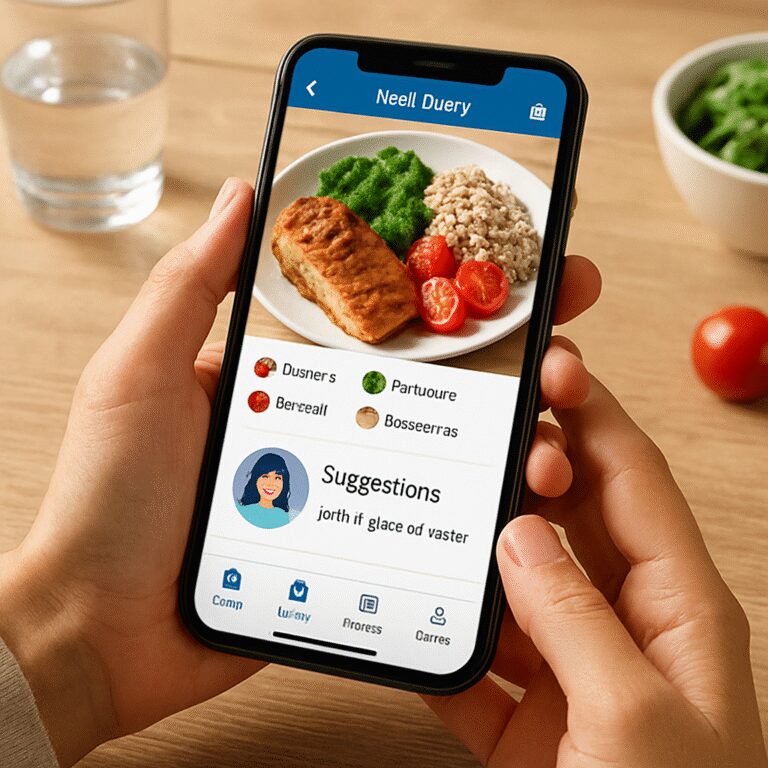
Ever wish you had a buddy who actually knows what you ate yesterday and can suggest what to sip tomorrow? The meal planner with grocery list app gives you a playful avatar that learns your eating patterns and talks to you in plain language.
It isn’t just a cute cartoon; the avatar pulls data from your photo logs, workout syncs and even your sleep tracker. When you log a protein‑rich dinner, the avatar might say, “Nice work, you’ve hit your post‑run protein goal – how about a glass of water to keep that recovery flowing?”
2️⃣ Hydration reminders that feel human
We all know the “I forgot to drink” trap, especially after a sweaty session. Instead of a generic buzz, the avatar pops up with a friendly nudge: “Hey, you’re 30 minutes into your afternoon stretch, let’s get another 8 oz in.”
Because the reminder is tied to your activity timeline, you’re more likely to act. Some users report drinking 15‑20 % more water just by following the avatar’s cues.
3️⃣ Real‑time feedback during workouts
Imagine you’re doing a HIIT circuit and the app’s avatar glances at your heart‑rate data. It might suggest, “You’re burning fast, grab a quick electrolyte sip before the next round.”
This kind of context‑aware coaching bridges the gap between nutrition and movement, making the whole routine feel like a seamless conversation rather than a series of disconnected apps.
4️⃣ Gamified streaks and rewards
Staying consistent is hard, so the avatar hands you “hydration streak” badges and “meal‑log streak” trophies. The visual progress bar nudges you to keep the chain unbroken, and you can even set personal challenges like “log water for seven days straight.”
When you hit a milestone, the avatar celebrates with a short animation and a tip for the next level, turning habit‑building into a low‑stress game.
5️⃣ Quick tweaks based on your day‑to‑day vibe
Life throws curveballs – a late meeting, an unexpected client lunch, or a sudden rain‑check on the gym. The avatar asks, “Feeling rushed? Want a portable snack and a water reminder?” and instantly swaps a bulky dinner plan for a simple protein shake and a 12‑oz water cue.
Because the changes happen in seconds, you never feel stuck with a plan that no longer fits your schedule.
All of this interactivity feels more personal when the app also lets you stash recipes from any web source, drag them into your weekly plan and watch the avatar suggest the perfect hydration pairings. That flexibility mirrors what Stashcook describes as “saving recipes from anywhere and building a virtual cookbook” which makes the whole planning loop feel intuitive Stashcook’s virtual cookbook feature.
So, what’s the next step? Open your meal planner, tap the avatar icon, and let it guide you through a day of smarter eating and consistent hydration. You’ll notice the difference within a few meals – fewer “I’m thirsty” moments, more energy after workouts, and a sense that your nutrition app is actually listening.
Quick tip: set the avatar’s reminder window to match your typical workout length – a 45‑minute session gets a pre‑workout water prompt at 10 minutes, a mid‑session electrolyte nudge at 25 minutes, and a post‑session refill reminder at cool‑down. This fine‑tuning makes the habit feel automatic.
4. Comparison of Top Smart Eating Apps
Alright, you’ve seen how an avatar can nudge you to drink water and swap a dinner on the fly. Let’s break down three crowd‑favorite meal planner with grocery list apps and see how they stack up for busy lives.
1️⃣ Paprika – The DIY Flexibility Champ
Paprika is the go‑to for anyone who loves curating their own recipe library. You can clip recipes from any website, edit ingredients on the fly, and scale servings with a single tap. The free version lets you store up to 50 recipes, and the cloud sync means your meal plan follows you from phone to tablet.according to The Spruce Eats review
What I love is the “no‑database” approach – you bring the food, the app organizes it. It won’t guess your macros, but you can add nutrition info manually if you’re that meticulous.
2️⃣ Mealime – Speedy, Health‑Focused Picks
If you’re constantly racing the clock, Mealime’s 30‑minute‑or‑less promise feels like a lifeline. After a quick profile set‑up, the app curates recipes that match your dietary preferences and spits out a ready‑to‑order grocery list you can push to Amazon Fresh or Instacart.the same Spruce Eats roundup notes
The free tier covers basic planning, while the Pro upgrade unlocks full nutrition facts and calorie filters – perfect for weight‑watchers who still want variety.
3️⃣ PlateJoy – Nutritionist‑Designed for Specific Goals
PlateJoy goes a step further by asking you a lifestyle questionnaire (think allergies, fitness goals, even insurance coverage). The algorithm then drafts a weekly menu that hits your macro targets, and the grocery list syncs straight to Instacart.
It’s a bit pricier, but if you have a medical condition or need low‑FODMAP guidance, the built‑in dietitian support can save you countless hours of research.
So, which one feels like the right sidekick for your routine? Think about how much you want the app to do for you versus how much you want to control yourself.
Quick Decision Table
| App | Best For | Pricing Snapshot |
|---|---|---|
| Paprika | Custom recipe collection & offline flexibility | Free up to 50 recipes; paid upgrade for unlimited |
| Mealime | Fast meals & automatic grocery delivery | Free basic; Pro adds nutrition data ($) |
| PlateJoy | Diet‑specific plans with professional support | Free trial; subscription required for full access |
Beyond the feature list, think about how the app fits into your existing ecosystem. Does it sync with Apple Health or Fitbit so your workouts automatically adjust calorie targets? Is your data stored locally or in the cloud – a factor if you’re privacy‑concerned? These behind‑the‑scenes details can tip the scales when the headline features look similar.
Here’s a mini‑action plan: open each app’s free version, import a couple of favorite recipes, and watch how the grocery list looks. If the list feels chaotic, Paprika’s manual editing might be your savior. If the list auto‑fills and you’re already ordering groceries online, Mealime probably wins. And if you’re juggling a low‑sodium or diabetic diet, give PlateJoy a spin.
One last thought – the smartest app is the one you actually use every day. Pick the one that matches your workflow, set a reminder to check the weekly plan on Sunday night, and let the app do the heavy lifting while you focus on crushing those workouts.
Ready to test the waters? Grab your phone, try the free tier of each, and see which feels like a natural extension of your routine. The right “meal planner with grocery list app” can turn chaotic meals into a smooth, stress‑free groove.
5. Seamless Grocery List Generation & In‑Store Scanning
Ever stared at a grocery aisle, list in hand, and thought, “Did I really need three types of cheese?” That moment is the perfect cue for a meal planner with grocery list app to step in and save you from a cart‑full of “just in case” items.
1️⃣ Auto‑populate the list as you plan meals
When you drop a recipe onto your weekly calendar, the app instantly extracts every ingredient and builds a master list. No more copy‑and‑paste from a cookbook or frantic Googling. The list is already grouped by aisle, so you can walk straight to produce, then dairy, then pantry.
Plan to Eat even markets this as a “no‑messy‑lists” feature – it takes your saved recipes and turns them into a clean, aisle‑by‑aisle list the moment you hit “generate.”learn more about their automated grocery lists.
2️⃣ Real‑time in‑store scanning to catch what you missed
Imagine you’re already in the store and you remember you need almond milk. Instead of rummaging through a paper list, you open the app, scan a barcode, and the item pops onto your list instantly. AnyList’s barcode scanner is free and works right from the iOS Control Center, letting you add items on the fly without leaving the aisle.see how AnyList handles barcode scanning.
That little scan is a game‑changer for anyone who forgets a staple mid‑shop. You get a live‑updating list that syncs across every device in the house, so your partner can see you’ve added almond milk and won’t double‑buy it later.
3️⃣ Sync the list with delivery services or voice assistants
Most modern planners let you push the list to Instacart, Amazon Fresh, or even your Alexa‑enabled speaker. You’re sipping coffee at home, say “Hey Alexa, add two bananas to my grocery list,” and the app updates in seconds. When you’re ready to checkout, the list auto‑fills the cart – a true “shop while you sip” moment.
4️⃣ Adjust portions on the fly to avoid waste
Did you plan a family‑size lasagna but realize it’s a solo dinner night? Before you head to the store, slide the serving‑size knob down. The app recalculates ingredient quantities, removing excess noodles and cheese from the list. That simple tweak can shave off a few dollars and a lot of food waste.
5️⃣ Use smart reminders to stay on track
When you’re juggling a meeting and a workout, the app can nudge you with a push notification: “You’re low on quinoa – add it before you leave the office.” Those context‑aware reminders keep you from the dreaded “I’m out of…again” panic.
And here’s a quick tip: enable the app’s “store layout” mode if it offers one. It re‑orders items to match the typical flow of your favorite supermarket, cutting down on back‑and‑forth trips.
So, what does a smooth grocery run look like with a meal planner with grocery list app?
First, you plan your week in the app. Second, the list builds itself, sorted by aisle. Third, you walk the store, scanning any forgotten items on the spot. Fourth, you check items off in real time, and the pantry inventory updates automatically for your next planning session.
It’s a loop that feels almost invisible – you barely notice the tech, you just notice the saved time.
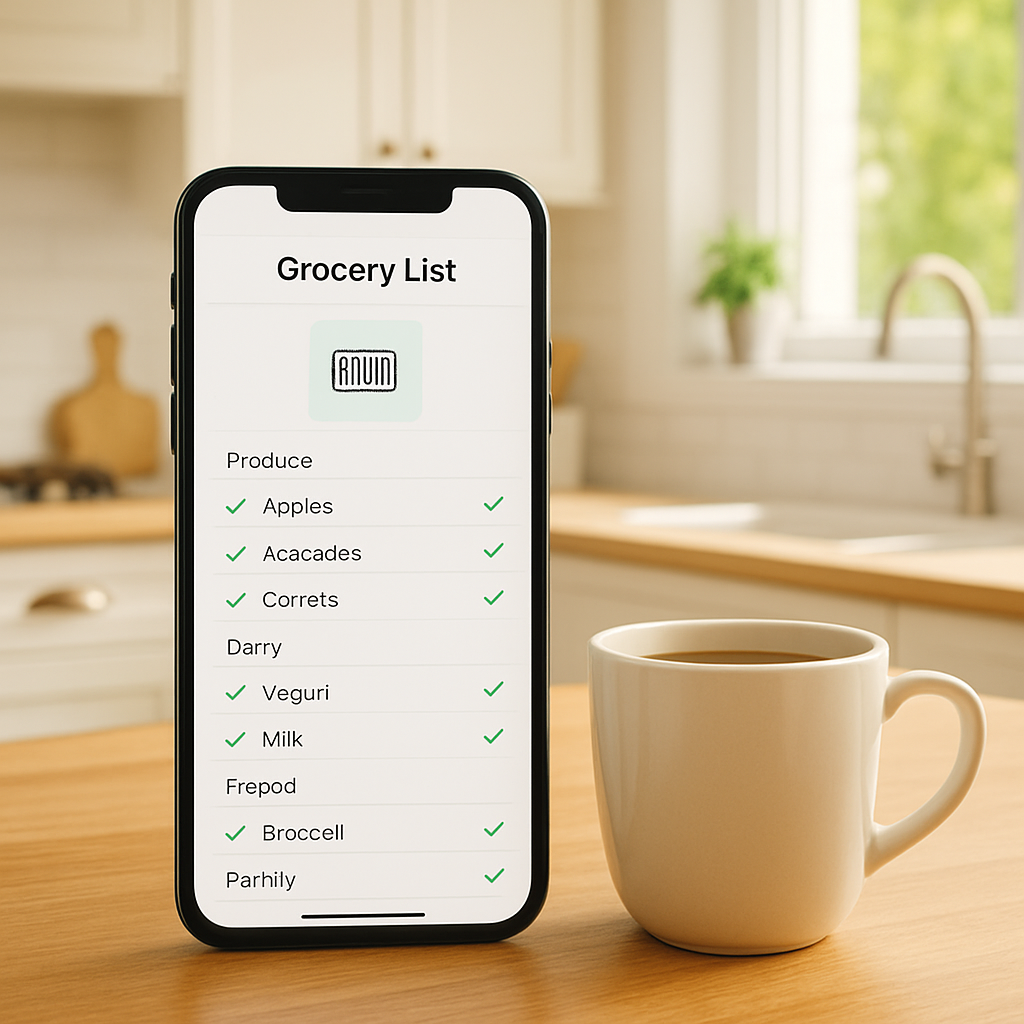
Bottom line: if you’re still writing lists on sticky notes, you’re leaving money on the table and wasting precious minutes. Switch to an app that does the heavy lifting, and you’ll walk out of the store with exactly what you need – no extras, no stress.
Conclusion
After walking through photo tracking, workout‑linked meals, avatar coaching, and the in‑store scanning loop, the picture is clear: a meal planner with grocery list app can turn chaotic kitchen moments into a smooth, almost invisible routine.
What matters most isn’t the flashier tech—it’s the time you reclaim, the waste you shave off, and the confidence you feel when you walk into the grocery aisle knowing exactly what you need.
If you’re still scribbling lists on sticky notes, you’re probably losing minutes and money every week. Imagine swapping that paper scramble for an app that auto‑generates aisle‑sorted lists, updates your pantry in real time, and even nudges you to stay hydrated.
Here’s a quick three‑step launch plan: 1️⃣ Open the app and set your weekly goals (weight, performance, or simply balanced meals). 2️⃣ Drag your favorite recipes onto the calendar; watch the grocery list appear instantly. 3️⃣ Enable in‑store scanning and sync with your delivery service for a truly hands‑free experience.
Give it a spin, tweak portion sizes, and let the AI handle the boring bits. In just a few days you’ll notice fewer “I forgot the milk” moments, a slimmer cart, and more energy for the things you love. Ready to eat smarter and live better?
FAQ
What exactly is a meal planner with grocery list app and how does it work?
At its core, a meal planner with grocery list app combines AI‑driven recipe scheduling with an automatically generated shopping list. You drop meals onto a calendar, snap photos of leftovers or barcode‑scan items, and the app translates that data into macro totals, portion cues, and an aisle‑sorted list. Everything syncs in real time, so your pantry inventory, fitness tracker, and hydration log all speak the same language.
Can I still use the app if I don’t have a smart kitchen or barcode scanner?
Absolutely. The app lets you type or voice‑enter ingredients, pull recipes from any website, and even use a simple photo of a receipt to capture what you bought. If you prefer a hands‑free approach, just tap the “Add manually” button and the system will suggest typical quantities based on your serving size settings. No fancy hardware required.
How does the app help me stay on track with hydration and nutrition goals?
The platform pulls data from your workout log or wearable, then calculates how much protein, carbs, and water you’ll need that day. Friendly push notifications remind you to sip water during a desk break or to grab a protein‑rich snack after a HIIT session. Over time the app learns your patterns and nudges you just enough to keep streaks alive without feeling naggy.
Is my personal data safe when I sync workouts and pantry info?
Foodie Cal stores your data on encrypted cloud servers and follows industry‑standard privacy practices. You control what syncs—whether it’s Apple Health, Fitbit, or a simple manual entry—and you can revoke access at any time from the settings menu. No third‑party advertisers get a peek at your grocery habits, so your meal plans stay private and secure.
Will the grocery list adapt if I change portion sizes or skip a meal?
Yes. The moment you adjust the serving slider or swipe a meal off the weekly view, the app recalculates ingredient quantities on the fly. If you decide to skip a dinner, the corresponding items disappear from the list, preventing extra produce from rotting in the back of your fridge. This dynamic updating keeps both your budget and waste in check.
How does the in‑store scanning feature save me time and reduce waste?
When you’re already strolling the aisles and remember a missing item, you can scan its barcode with your phone and the product instantly appears on your live list. The list re‑orders itself by aisle, so you never backtrack, and the app marks the item as “picked,” updating your pantry inventory instantly. That quick add‑on means fewer forgotten staples and less impulse buying.
What’s the best way to get the most out of the free version before I consider upgrading?
Start by setting clear weekly goals—whether it’s weight loss, muscle gain, or simply balanced meals. Use the drag‑and‑drop calendar to plan a few meals, let the app generate the base grocery list, and experiment with the hydration reminders. Take advantage of manual entry and photo logging to see how accurate the AI becomes. Once you’ve mastered the basics, you’ll easily spot premium features that fit your lifestyle.
Additional Resources
Feeling a little overwhelmed after all those features? You’re not alone. Most of us hit that “where do I start?” moment when the app starts suggesting meals and auto‑generating lists.
First, check out the official Eat This Much page. It breaks down the free vs. premium capabilities, shows screenshots of the pantry sync, and even lists the latest bug‑fixes. A quick skim gives you a solid mental map before you dive deeper.
Community forums and Reddit threads
There are thriving user groups where people swap weekly menus, troubleshoot barcode scanning quirks, and share budget‑friendly swaps. Search for “meal planner with grocery list app” on Reddit – you’ll find threads where members post their favorite “quick‑edit” tricks that save seconds in the store.
Video walk‑throughs
Short YouTube tutorials (look for titles like “Meal Planner App Full Tour”) walk you through the drag‑and‑drop calendar, the auto‑portion slider, and the in‑store scanning flow. Pause, follow along on your phone, and you’ll have a hands‑on feel without the trial‑and‑error.
Finally, bookmark the app’s built‑in help center. It’s organized by use‑case – from “setting macro goals” to “resetting the grocery list for a new week.” Keeping that page handy means you can answer questions on the fly instead of hunting through menus.
So, what’s your next move? Grab the app, peek at the resources above, and give the auto‑generated list a test run. You’ll see how quickly the chaos turns into confidence.