
Ever opened your fridge, grabbed a soda, and then wondered why you keep craving more sugar? You’re not alone – most of us have that moment where the sweet stuff sneaks into our day without us even noticing.
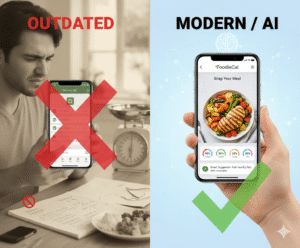
That’s exactly why a sugar intake tracker app can feel like a game‑changer. Imagine snapping a photo of your breakfast cereal, and the app instantly tells you how many grams of sugar you just added to your plate. No manual entry, no guessing. It’s the kind of instant feedback that makes you pause and think, “Do I really need that extra spoonful?”
Take Sarah, a busy professional who juggles meetings and gym sessions. She started using a sugar tracker on her phone and discovered that her afternoon coffee habit – a latte with two pumps of flavored syrup – added nearly 30 g of sugar daily. By swapping the latte for black coffee or a herbal tea, she shaved off 210 g of sugar each week, which translated to feeling less sluggish after lunch.
Or consider Mark, a dad who loves smoothie bowls for his kids. He thought the fruit was all‑natural, but the app highlighted hidden sugars in the flavored yogurts he used. Switching to plain Greek yogurt and adding a dash of cinnamon gave him the same creamy texture without the sugar spike.
Getting started is simpler than you think. First, download a sugar‑tracking app that uses AI‑powered photo recognition – that’s the sweet spot for accuracy. Second, make a habit of logging every snack, even the “tiny” ones like a handful of raisins. Third, set a realistic daily sugar goal; many health guidelines suggest staying under 25 g for women and 36 g for men.
When you see the numbers stack up, you’ll notice patterns you never saw before – maybe it’s the flavored water at the office or the granola bar you grab on the go. Those insights let you swap out high‑sugar items with low‑impact alternatives without feeling deprived.
Need a little extra support? Pair your tracking routine with professional guidance from BA Family NP Practice, which offers virtual nutrition counseling tailored to your sugar‑management goals.
And if you’re curious about what a paid plan looks like, take a peek at our Pricing – Foodiecal page to see how you can unlock premium features that make tracking even smoother.
Ready to take control of your sweet intake? Start snapping, logging, and tweaking today – you’ll be amazed at how quickly those hidden sugars disappear from your diet.
TL;DR
A sugar intake tracker app lets you snap quickly meals, instantly see hidden sugars, and set daily limits, turning confusing cravings into clear, actionable data.
Start logging immediately today, watch patterns emerge, and swap sugary shortcuts for smarter choices—your energy, waistline, and peace of mind will thank you truly daily.
Step 1: Set Up Your Profile and Goals
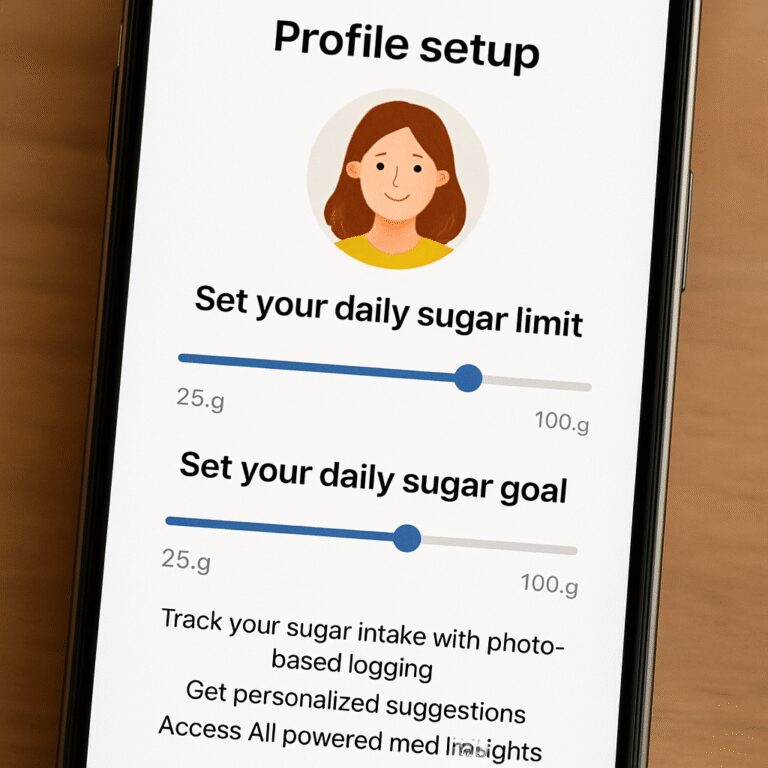
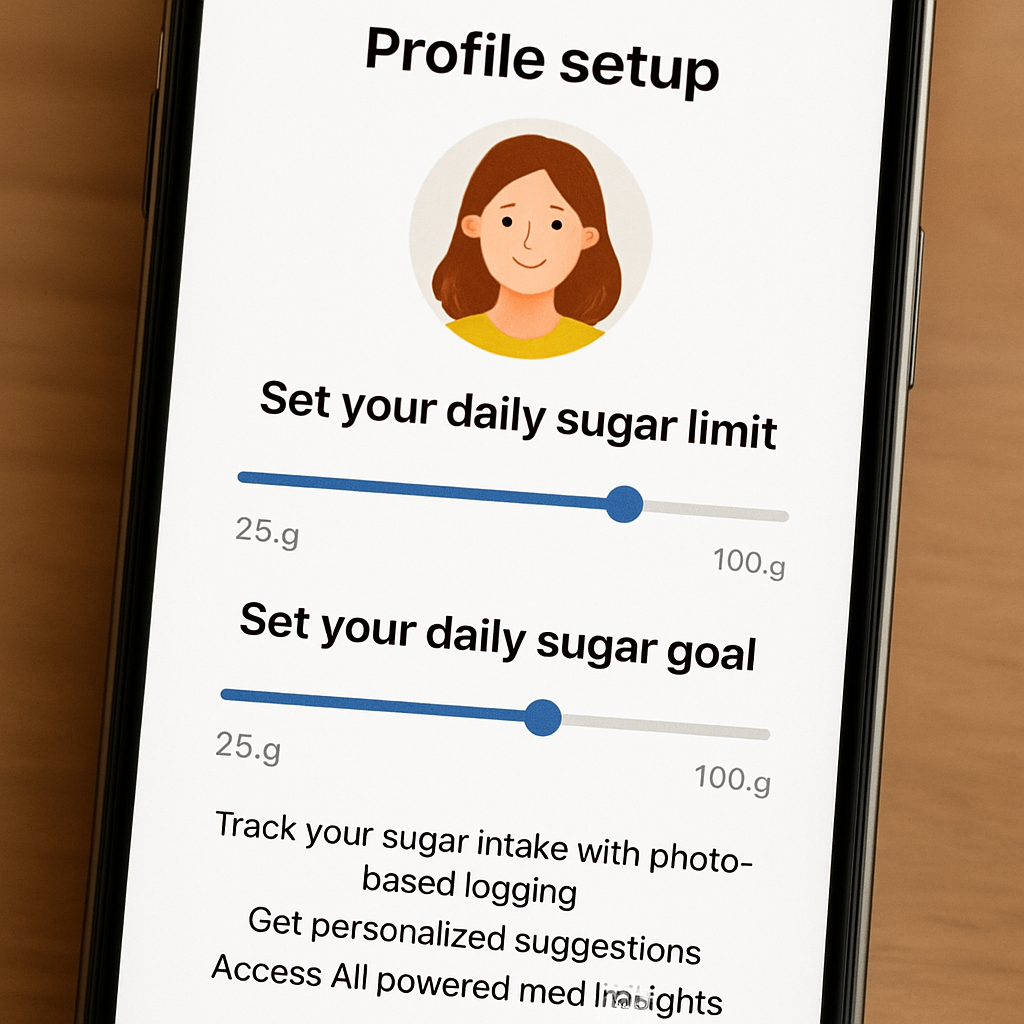
First thing’s first – when you open the sugar intake tracker app, you’ll be greeted by a quick welcome screen that asks for a few basics: your age, gender, activity level, and, most importantly, what you’d like to achieve. Maybe you want to stay under the recommended 25 g of added sugar per day, or perhaps you’re training for a marathon and need tighter control. The app uses that info to tailor the daily sugar limit just for you.
And here’s a tiny secret: the more honest you are with those initial answers, the more useful the insights become. I know it feels a bit weird to type in “I drink two sodas a day,” but that honesty helps the AI suggest realistic swaps instead of impossible goals.
Pick a profile picture – or don’t
Some people love a cute avatar; others skip it. Either way, the app lets you add a photo or just pick a color. It’s totally optional, but if you enjoy a visual reminder, a friendly face (even a cartoon) can make you glance at your dashboard a little more often.
Does the idea of a “sugar score” sound fun? Once you’ve entered your basics, the app creates a score that reflects how close you are to your goal. Think of it like a fitness “heart rate” for sugar – you get a quick visual cue without digging through numbers.
Set your personal goal
Now, hit the “Set Goal” button. You’ll see three sliders: “Maximum daily sugar,” “Weekly trend focus,” and “Alert frequency.” Drag the first one to your target – maybe 30 g if you’re a man, 20 g if you’re cutting back for weight loss. The second lets you choose whether you want weekly summaries or daily nudges. The third decides how often the app pings you with reminders.
Tip: start with a modest goal. If you usually hit 45 g, aiming for 40 g feels doable and builds confidence. You can tighten the limit later once the habit sticks.
So, what should you do next? Take a minute right now, open the app, and fill in those fields. You’ll be surprised how quickly the dashboard lights up with your personalized sugar roadmap.
After you’ve saved your profile, the app asks you to connect any wearable or health app you already use – like Apple Health or Google Fit. This step isn’t mandatory, but syncing lets the tracker factor in your overall activity level, which can slightly adjust your sugar budget on high‑intensity days.
And if you’re looking for a deeper dive into the dashboard, check out Home – Foodiecal where you can see a live demo of how the app visualizes your intake, water, and exercise side‑by‑side.
When the profile feels set, think about the next piece of the puzzle: logging. The moment you snap a photo of your breakfast cereal, the AI reads the nutrition label and adds the sugar grams to your tally. It’s that instant feedback that makes you pause and ask, “Do I really need that extra spoonful?”
And remember, you’re not alone in this journey. If you ever feel stuck or need a professional perspective, consider a quick consult with BA Family NP Practice. Their tele‑nutrition experts can help fine‑tune your sugar goals based on your health history.
Lastly, for the fitness‑focused reader who’s also thinking about recovery, a good post‑workout routine includes more than just protein. Check out this guide on how recovery t‑shirts boost healing and performance. Less muscle soreness can mean steadier energy levels, which in turn makes it easier to stick to your sugar plan.
Ready to lock in your profile? Hit “Save,” and you’ll be taken to the main screen where the app starts counting every gram of sugar you log. From there, the real magic begins – spotting patterns, swapping snacks, and watching your score improve day by day.
Step 2: Capture Meals with Photo Logging
Alright, you’ve set up your profile, you’ve got a sugar goal humming in the background—now it’s time to actually feed the app what you eat. The magic of a sugar intake tracker app is that you don’t have to type “1 cup of oatmeal, 12 g sugar” every single time. You just snap a photo, and the AI does the heavy lifting.
Pick the right moment
Think about the last time you grabbed a snack without even looking at the label. Maybe it was a handful of granola bars while scrolling through emails. That split‑second is perfect for photo logging. You don’t need perfect lighting—just enough for the app to see the plate or bag.
Does it feel a bit odd to point your phone at your lunch? Trust me, after a few meals it becomes as natural as checking the time.
How to snap for accuracy
1. Clear the clutter. If you can, remove extra plates or background items that might confuse the AI.
2. Get a straight‑on shot. Hold the phone about 12‑18 inches above the food. A slight angle is fine, but try to capture the whole portion.
3. Use natural light. A kitchen window or daylight works best. If you’re in a dim café, turn on the phone’s flash—just don’t overexpose the image.
4. Tap “Log Meal.” The app will instantly analyze the image, pull out estimated grams of sugar, and pop up any hidden sweeteners it spots.
Sounds like a tech trick, but it’s really just your phone becoming a friendly nutrition coach.
What the app shows you
After the snap, you’ll see a quick card with three bits of info: total sugar grams, a breakdown of added vs. natural sugars, and a suggestion button that says something like “Swap for lower‑sugar option.” That’s the moment you get a reality check—like when you see your latte’s hidden 24 g of sugar pop up.
And here’s a little secret: the app learns from each photo. The more you log, the smarter the suggestions become. It starts to recognize your favorite meals and can even pre‑fill future entries.
Dealing with “unknown” foods
Not every dish is in the AI’s library—think of that exotic sushi roll you tried on vacation. If the app flags it as “unknown,” you can manually adjust the sugar estimate or add a note. Over time, the system incorporates your correction, so the next similar snap gets it right.
Does that sound like extra work? Not really. It’s a one‑time tweak that pays off later when the app automatically categorizes that same roll.
Tips to make photo logging effortless
- Keep the app in your phone’s dock bar for one‑tap access.
- Set a reminder to log meals right after you eat—your brain is already in “food mode,” so the habit sticks.
- Batch‑log when you prep meals for the week. Snap a picture of the entire batch, then split the sugar total across servings.
Imagine you’re prepping Sunday’s lunches: a colorful quinoa bowl, a chicken wrap, and a fruit cup. One photo, five minutes, and you’ve got a full day’s sugar map.
Still skeptical? Try a quick experiment. For the next three meals, log each photo and watch the app tally up. You’ll probably notice hidden sugars in sauces, dressings, or that “healthy” granola bar you love.
Watch the pattern emerge
When you’ve logged a handful of meals, the app’s dashboard starts to paint a picture. You might see that your afternoon tea habit adds 12 g of sugar, while your weekend brunch spikes to 30 g. Those insights are the real power—because now you can decide: keep the tea, swap the jam, or simply enjoy the occasional treat.
And if you ever feel stuck, hit the built‑in tutorial button. It walks you through a sample meal, so you can see exactly how the AI interprets colors and textures.
Bottom line: photo logging turns a tedious spreadsheet into a visual, almost‑game‑like experience. You get instant feedback, you learn where hidden sugars hide, and you keep your daily goal in sight without breaking a sweat.
Ready to give it a go? Grab your phone, snap that breakfast bowl, and let the sugar intake tracker app do the math for you.
Step 3: Review AI-Powered Sugar Insights
Now that you’ve got a steady stream of photos feeding the app, the real magic happens when the AI translates those snaps into easy‑to‑read sugar insights.
When you open the insight screen, the first thing you’ll see is a simple bar that shows today’s total grams of added sugar versus your goal. Below that, the AI breaks down each meal into “added” and “natural” sugar, highlights any surprise sources, and even suggests a swap.
Understanding the insight dashboard
Think of the dashboard as a friendly coach whispering, “Hey, that granola bar added 9 g of hidden sugar.” The coach does three things:
- Shows a daily total that updates the second you log a photo.
- Colors each food item – red for high‑sugar, green for low‑sugar – so you can spot patterns at a glance.
- Offers a one‑tap “Swap” button that pulls up a lower‑sugar alternative from the app’s database.
Because the AI learns from every snap, the more you log, the better the suggestions become. After a week of logging, the app might start recognizing your favorite morning smoothie and automatically suggest “plain Greek yogurt” instead of the flavored version you’ve been using.
Spotting hidden sugar peaks
Here’s a real‑world example: Maya, a busy marketing manager, logged her weekday lunches for five days. The dashboard highlighted a recurring 13 g sugar spike from a “store‑bought” vinaigrette she used on salads. The AI labeled it “added sugar” and offered a homemade lemon‑olive‑oil dressing that cut the sugar to 2 g.
Another case: Jamal, a dad who loves weekend pancakes, saw a 25 g surge every Saturday. The insight screen pointed out that the “maple syrup” he drizzled was actually a high‑fructose corn syrup blend. He swapped to a 100 % pure maple option and shaved 12 g off his weekend total.
Does this sound too good to be true? It isn’t. Apps like QuitSugar demonstrate that AI‑driven food detection can accurately break down sugar, calories, and macros in seconds according to the QuitSugar app description. Foodie Cal uses the same underlying technology, just tuned to your personal goals.
Turning data into action
Seeing numbers is only half the battle; the next step is to act. Follow these three micro‑steps each time you review your insights:
- Identify the biggest culprit. Look for the red‑flag item with the highest added‑sugar grams.
- Choose a swap. Tap the suggested alternative, or search the built‑in recipe library for a lower‑sugar version.
- Adjust the portion. If you can’t swap, simply cut the serving size in half and log the new amount.
Doing this right after you finish a meal cements the habit, because the context is still fresh in your mind.
Pro tips from nutrition pros
• Set a “sugar buffer” of 5 g each day. If you know a coffee meetup will add extra sugar, plan to stay under your goal by that buffer.
• Use the weekly trend view to spot recurring spikes on specific days – maybe a Friday night pizza or a Sunday brunch. Plan ahead by prepping a low‑sugar side.
• Enable the “challenge” mode that rewards you with virtual coins when you stay under 80 % of your goal for three consecutive days. The gamified feedback keeps motivation high.
Quick checklist before you close the app
- Did the dashboard highlight any red‑flag items?
- Did you tap a swap or adjust the portion?
- Did you note a pattern for the upcoming week?
- Did you log a “buffer” for any planned indulgence?
By turning every insight glance into a concrete tweak, you’ll watch your daily sugar number shrink without feeling deprived. Keep the loop tight: snap, review, adjust, repeat. In a few weeks you’ll have a personalized sugar map that feels less like a chore and more like a conversation with a knowledgeable friend.
Step 4: Sync Hydration and Activity Data
Alright, you’ve been logging meals and tweaking sugar targets, but the next game‑changer is getting your water intake and workouts into the same picture.
When the sugar intake tracker app talks to your fitness band or phone’s native health hub, it can match each step, swim lap, or yoga flow with the sugar you just logged, so you instantly see how movement offsets those extra grams.
Ever wonder why you feel a mid‑afternoon slump even though you’ve stayed under your sugar goal?
That dip is often a hydration cue – dehydration can masquerade as a sugar craving. Syncing your water log lets the app flag “drink more” before you reach for that candy bar.
Step‑by‑step: connect your devices
1. Open the app’s Settings tab and tap “Integrations.”
2. Choose the health platform you use – Apple Health, Google Fit, or a Bluetooth‑enabled smart bottle.
3. Flip the switches for “Water” and “Physical Activity.” The app will ask for permission to read step count, workout type, and water‑intake entries.
4. Hit “Sync Now.” You’ll see a quick toast that says “Hydration + Activity linked.” From now on, every new walk or sip updates your dashboard automatically.
Need a sanity check? Look at the “Daily Balance” card. Green bars mean you’ve earned enough movement minutes to offset a sugary snack, while a blue water droplet tells you how many ounces you still need to hit your target.
But what if you wear a watch that only tracks steps?
No problem. The app converts raw step data into “active minutes” using a simple 100‑step‑≈1‑minute rule. That estimate is good enough to show you whether a 30‑minute brisk walk can neutralize that extra 5 g of sugar from a pastry.
Now let’s talk numbers. A meta‑analysis of diabetes app trials found that syncing activity data with nutrition logs helped users shave 0.5 percent off their A1C on average according to Everyday Health. While the sugar intake tracker isn’t a medical device, the same principle applies: the more data points you connect, the clearer the picture of how water and movement influence your sugar curve.
Quick checklist for a flawless sync
- Permission granted for both water and activity streams.
- Wearable battery topped up – a dead band means missed steps.
- Set a daily water goal that matches your activity level (e.g., ½ L per 30 min of cardio).
- Review the “Sync Log” each evening to confirm no gaps.
And here’s a little habit hack: after every workout, open the app and tap the “Log Water” button that pops up automatically. It only takes two taps, and you’ll never forget to hydrate.
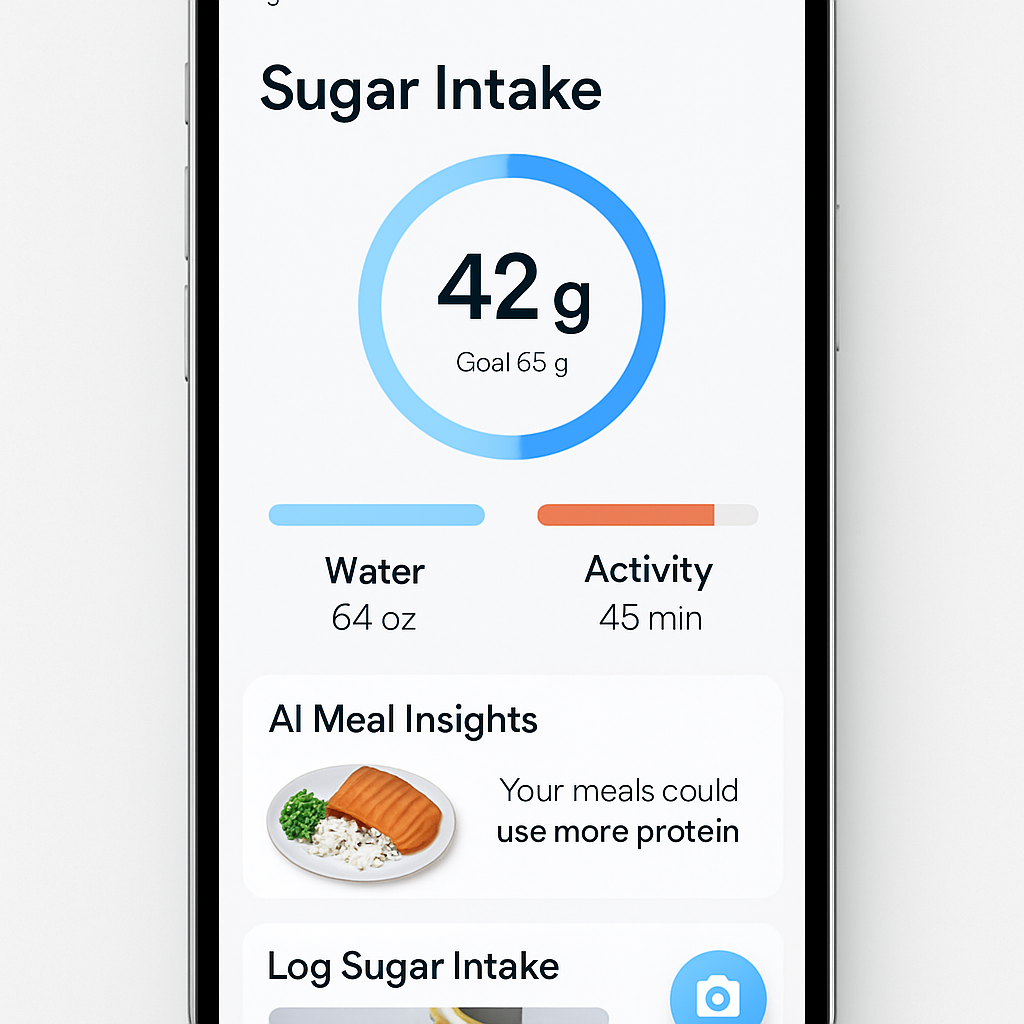
Finally, treat the sync as a conversation, not a chore. When the app nudges you – “you’re 8 oz short” or “you’ve earned a sugar‑offset badge” – respond by sipping water or taking a short walk. Those micro‑adjustments add up, keeping your sugar levels steady without you having to count every gram.
Ready to make your data talk? Connect, sync, and watch the numbers line up so you can stay sweet‑smart all day long.
Give it a week, then glance back – you’ll see the pattern and feel the confidence grow.
Step 5: Compare Features & Choose the Right Plan
Alright, you’ve synced your water, logged a few meals, and the AI is already whispering sweet‑spot suggestions. Now comes the part that trips most people up: picking the plan that actually fits your life.
Do you remember that moment when you stared at a pricing grid and felt your brain melt? Yeah, we’ve all been there. The trick is to stop treating the numbers like a puzzle and start looking at the features that matter to you.
What you really need versus what’s nice‑to‑have
First, jot down the three things you can’t live without. For most of us it’s:
- Photo‑based sugar logging (so you don’t type “1 cup oatmeal”).
- Hydration + activity sync (because a sip can offset a snack).
- Personalized AI suggestions (the app should tell you *what* to swap, not just *how much* you’ve exceeded).
Anything beyond that is a bonus – like badge collections or community groups. If those sound fun, great, but they shouldn’t be the deciding factor.
So, does the free tier give you all three?
Free vs. Paid: a quick side‑by‑side
| Feature | Free Plan | Premium Plan |
|---|---|---|
| Photo‑logging of meals | Yes, limited to 5 logs per day | Unlimited logs + faster AI processing |
| Hydration & activity sync | Basic sync (step count only) | Full water‑intake + workout type integration |
| AI‑driven swap suggestions | General tips | Personalized, meal‑specific alternatives |
The table shows that the premium tier unlocks the “real‑time” experience most power users crave. If you’re just testing the waters, the free plan is perfectly fine for a week or two.
But here’s a question that often goes unnoticed: how much will you actually use those premium swaps? If you’re already swapping on the fly, the premium AI can save you minutes every day.
Real‑world check: does the extra cost pay off?
One user of a rival app noted that after upgrading, they cut hidden sugar by 15 g per day because the AI started flagging “secret” sweeteners in sauces (see Cal AI’s feature list). That’s a tangible health win for a modest monthly fee.
Translate that to Foodie Cal: if the premium plan costs $4.99/month and helps you shave 10 g of sugar daily, you’re basically paying less than a latte for a healthier habit.
Now, ask yourself: can I afford to miss that extra insight?
Decision checklist
Before you click “Subscribe,” run through this quick list:
- Do I need unlimited photo logs? (If you meal‑prep, absolutely.)
- Is full hydration sync a daily habit for me?
- Will personalized swaps actually change my buying patterns?
If you answered “yes” to two or more, the premium plan is likely worth it.
And if you’re still on the fence, try the 7‑day trial most apps offer. Use those days to see how many times you rely on the AI’s swap button. Count the moments – if you hit it more than five times, you’ve found a sweet spot.
Bottom line: choose the plan that aligns with the three must‑have features you identified. The rest is just icing on the cake.
Ready to lock in your choice? Open the “Pricing” screen, pick the tier that matches your checklist, and hit “Upgrade.” You’ll see the extra data flow in seconds, and the sugar‑smart journey continues without a hiccup.
FAQ
What is a sugar intake tracker app and how does it work?
A sugar intake tracker app is basically a pocket‑sized nutrition coach that watches what you eat and tells you how many grams of added sugar you just consumed. It pulls data from a photo you snap, the barcode you scan, or a quick manual entry, then matches it against a database of foods. The moment the app calculates the number, you see a clear tally next to your daily goal, so you instantly know if you’re on track or need a swap.
Do I need to manually enter food or can I just snap photos?
Do I have to type everything in? Nope – the sweet spot is the photo‑logging feature. You just point your phone at a plate, a snack bag, or a smoothie, and the AI scans colors, textures, and portion size to estimate the sugar load. If the food isn’t recognized, you can tap a few buttons to fine‑tune the amount or scan the barcode instead. Either way, you spend seconds, not minutes, logging each bite.
Is the app accurate enough for daily sugar tracking?
How accurate is it? The AI behind most sugar intake tracker apps has been trained on millions of food images, so for common items like cereal, soda, or a banana it’s spot‑on within a few grams. For homemade meals, the estimate depends on how clearly you photograph the portion and whether you add a quick note for sauces or hidden sweeteners. In practice, most users find the margin small enough to trust the daily total and make meaningful swaps.
Can I sync the app with my smartwatch or fitness tracker?
Can I sync it with my smartwatch or fitness band? Absolutely. In the Settings menu you simply enable the Apple Health, Google Fit, or your device’s proprietary API, and the app pulls step counts, active minutes, and even water‑intake logs if your bottle talks to your phone. The data merges on the dashboard so you can see, for example, that a 30‑minute walk offsets the extra 5 g of sugar from that afternoon cookie. It’s a seamless loop that keeps everything in one place.
How does the app help me stay motivated?
Will the app keep me motivated day after day? Most sugar intake tracker apps sprinkle gamified nudges – you get a badge when you stay under 80 % of your goal for three days, or a gentle push‑notification when you’re edging close to your limit. You can also set a “sugar buffer” for special occasions, so the app celebrates the win instead of flashing red. Seeing the numbers shrink week over week feels like a personal scoreboard, turning a health habit into a fun challenge.
Is there a free version or do I need to pay for premium features?
Is there a free version or do I need to pay for the premium plan? You can start with a no‑cost tier that lets you log a handful of photos each day and gives basic sugar totals. If you find yourself swapping meals often, the premium upgrade unlocks unlimited photo logs, faster AI processing, and personalized swap suggestions that learn from your habits. Many users say the extra insights are worth the few dollars a month because it saves them from hidden sugars that add up over time.
Conclusion
So you’ve walked through setting up your profile, snapping meals, reading AI insights, and even weighing the plans. If something still feels fuzzy, remember the core idea: a sugar intake tracker app is your shortcut to seeing hidden sugar before it sneaks into your day.
Think about the moment when you caught that latte’s extra 24 g of sugar. That little “aha” is exactly the feedback loop that keeps motivation alive. It’s not magic; it’s just your phone doing the math you’d otherwise guess at.
Here’s a quick checklist to lock in the habit:
- Snap every snack, even the “tiny” ones.
- Review the daily dashboard within 10 minutes of eating.
- Swap one high‑sugar item each week using the app’s suggestions.
- Sync your water and activity so the whole picture stays balanced.
And if you’re still on the fence about going premium, try the free tier for a week. When you see your sugar total shrink and your energy stay steadier, the upgrade will feel like a natural next step.
Ready to make hidden sugars disappear for good? Open Foodie Cal, start snapping, and watch the numbers work in your favor. Your healthier, less‑crashy afternoons are just a photo away.