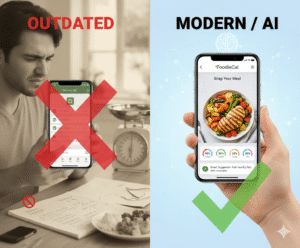

Ever opened your phone, stared at the calorie tracker, and thought, ‘I wish there was a simpler way to know how much protein I actually ate?’
You’re not alone. Between work emails, family meals, and the next workout, tracking protein can feel like another full‑time job.
That’s where a track protein intake app comes in – it removes guesswork by letting you snap a photo of your plate and instantly see your protein.
Imagine you finish a chicken‑rice bowl, snap it, and the app says, ’22 g protein, 45 g carbs, 8 g fat.’ No manual entry, clear numbers you trust.
Why does protein matter? It repairs muscle fibers, fuels recovery, and helps you stay fuller longer, which is a game‑changer for anyone trying to build strength or lose weight.
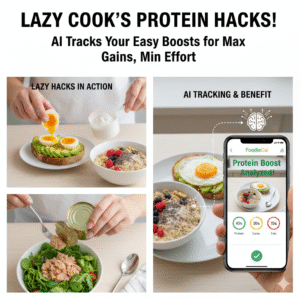
But the real magic is the AI‑driven insights that learn your eating habits over time. It can suggest higher‑protein alternatives when you repeatedly log low‑protein meals, nudging you toward a balanced diet without you even noticing.
For busy professionals, this means you can plan your meals during a quick coffee break and still hit your daily macro goals. No more scrolling through endless food databases or counting grams on a piece of paper.
And if you’re a tech‑savvy millennial, the sleek interface feels like a social feed – you get badges for hitting protein targets, and you can even share your progress with friends who are on the same health journey.
So, what’s the first step? Download a reliable track protein intake app, snap your next meal, and watch how quickly the numbers appear. In a few minutes you’ll see how easy it is to stay on top of your protein goals.
Ready to take the guesswork out of your nutrition? Let’s dive in and explore how these apps can transform your everyday eating habits.
TL;DR
A track protein intake app lets you snap meals, instantly see protein grams, and removes the guesswork from daily nutrition anytime, anywhere, without manual entry.
By using AI insights you stay fuller, hit macro goals, and keep progress simple—even during a coffee‑break hustle, while tracking water and calories too daily.
Step 1: Set Up Your Profile and Goals
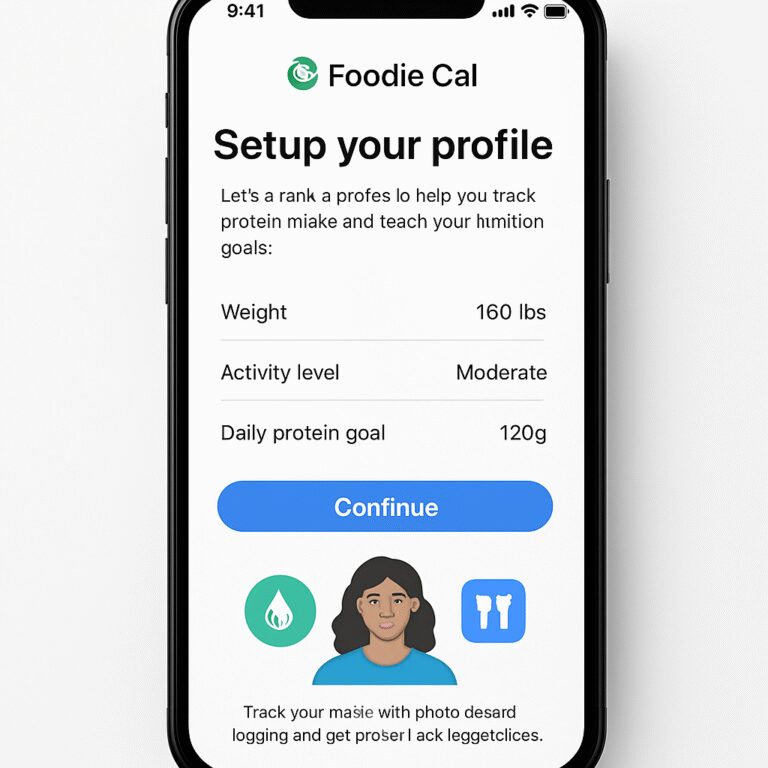
Alright, let’s get your Foodie Cal account looking like a personal nutrition coach. The moment you open the app, you’re greeted by a clean welcome screen that asks you to create a profile – think of it as setting the stage for all the protein insights that follow.
Why does this matter? Because the app learns from the data you feed it. If you tell it you’re aiming for 150 g of protein a day, the AI can flag meals that fall short, suggest higher‑protein swaps, and even adjust your hydration reminders.
Create Your Account
1. Tap “Sign Up” and choose email, Google, or Apple login – whichever feels least like a hassle.
2. Fill in your basic details: name, age, weight, activity level. Don’t stress about perfect numbers; you can tweak them later.
3. Set a password you’ll actually remember – maybe a phrase like “coffee‑run‑2025”.
Quick tip: Enable two‑factor authentication now, so you won’t lose access if you switch phones mid‑week.
Define Your Protein Goals
Here’s where the magic starts. The app asks you a few simple questions: “Do you lift, run, or just want to stay healthy?” Your answer shapes the recommended daily protein target.
If you’re unsure, a good rule of thumb is 0.8 g per kilogram of body weight, but many busy professionals find 1.0 g works better for satiety. You can always adjust the goal later in Settings → Goals.
Want a concrete example? Let’s say you weigh 70 kg. The app would suggest roughly 70‑140 g of protein, depending on your activity. You can lock that number in, and the AI will start nudging you toward it every time you snap a meal.
And if you’re curious about how seasoning your grill can affect protein retention, check out this step‑by‑step guide on seasoning new grill grates – it’s a tasty tangent that reminds you food prep matters too.
Notice how the video walks through the profile setup in real time? Pause it whenever you hit a screen you’re not sure about – the visual cue can save you a few taps.
Fine‑Tune Preferences
Now that your basic numbers are in, dive into the Preferences tab. Here you can:
- Choose how often you want reminder notifications (e.g., “Morning protein check‑in”).
- Link your fitness tracker so the app can correlate calories burned with protein intake.
- Enable the “Meal Snap” shortcut on your home screen for lightning‑fast logging.
Pro tip: If you’re a water‑conscious athlete, toggle the hydration tracker – the app will suggest water amounts based on your protein load, because more protein means a higher need for fluids.
Speaking of holistic health, the folks at Healthier Lifestyle Solutions recommend pairing protein tracking with regular sleep checks. It’s a reminder that nutrition is just one piece of the performance puzzle.
Finally, give your profile a quick review. Make sure the “Goal” field reads something like “150 g protein daily” and that your activity level matches your real routine. When you’re satisfied, hit “Save”. The app will now start analyzing every snap you take and compare it to that target.
If you ever feel overwhelmed by the data flood, remember the simple mantra: “One snap, one number, one tweak.” The app’s AI is designed to keep the feedback loop tight, not to bombard you with charts you can’t read.
And for a little extra motivation, you might explore some oral‑care tips that keep your smile fresh while you’re chewing high‑protein meals – see Stop Oral Care for a quick guide on maintaining dental health alongside a protein‑rich diet.

With your profile locked in and goals set, you’re ready for the next step: snapping meals and letting the AI do the heavy lifting. Trust the process, and you’ll soon see those protein numbers appear like magic.
Step 2: Log Your Meals with Photo Recognition
Okay, you’ve set up your profile, you’ve picked a realistic protein target, and those gentle reminders are humming in the background. Now comes the fun part – actually capturing what you eat. If you’ve ever fumbled with a bulky food diary, you’ll love how a quick snap turns a chaotic plate into clear numbers.
Grab Your Phone, Aim, and Snap
First, open the Foodie Cal home page and tap the camera icon. Position your phone about 12‑15 inches above the plate – think of it like taking a Instagram pic, not a microscope shot. The AI is trained to recognize common foods from many angles, so you don’t need perfect lighting; a well‑lit kitchen or a sunny patio works fine.
Once you tap “Snap,” the app instantly begins analyzing. Within seconds you’ll see a breakdown: “22 g protein, 45 g carbs, 8 g fat.” That’s the core promise of a track protein intake app – no manual entry, no guesswork.
Does it ever get it wrong? Occasionally the AI mislabels a dish – like calling a sausage steak – but the numbers are usually within a 10 % margin, which is more than enough for everyday macro tracking according to Cal AI’s app description. When that happens, just tweak the portion size or swipe to correct the item; the app learns from each adjustment.
Real‑World Example #1: The Office Lunch
Imagine you’re at a work cafeteria. You’ve got a grilled chicken salad with quinoa, avocado, and a drizzle of vinaigrette. You snap it, and the app spits out 30 g protein, 28 g carbs, 12 g fat. You notice the protein is a bit lower than you hoped because the quinoa is taking up a lot of the plate. The app then suggests swapping half the quinoa for a boiled egg or a scoop of cottage cheese – simple swaps that boost protein without extra calories.
That nudge is powered by the same AI that powers other photo‑recognition apps like CaloriQ AI. It learns your eating patterns and starts offering personalized “protein‑rich alternatives” after a few meals.
Real‑World Example #2: Dinner at Home
It’s Friday night, you’re grilling a steak, steaming broccoli, and ladling sweet potato mash. You snap the trio. The app returns 45 g protein, 35 g carbs, 20 g fat. You’re feeling good, but the fat is higher than you wanted for a cutting phase. The app flags the steak’s fat content and suggests a leaner cut next time or trimming the visible fat. You can instantly add a side of roasted chickpeas for extra protein without adding too many extra calories.
These on‑the‑fly insights keep you from “analysis paralysis” and make adjustments feel effortless.
Step‑by‑Step Checklist
- 1️⃣ Open the camera screen from the main dashboard.
- 2️⃣ Center the entire plate – include sides, sauces, and any garnish.
- 3️⃣ Snap the photo; wait a couple of seconds for the AI to process.
- 4️⃣ Review the macro breakdown; tap any item to edit portion size or swap the food.
- 5️⃣ Confirm the log – the protein total adds to your daily goal automatically.
That’s it. You’ve just turned a messy plate into a data point that feeds your progress chart.
Tips from the Trenches
Tip 1: Keep the background plain. A white plate or a neutral table reduces visual noise, helping the AI focus on the food itself.
Tip 2: Use the barcode scanner for packaged snacks. If you’re snacking on a protein bar, scanning the barcode is faster and often more accurate than a photo.
Tip 3: Log meals within 15 minutes of eating. The app’s “Meal‑Snap Reminder” you set earlier will prompt you, ensuring you don’t forget and end up estimating later.
And remember, the app saves each entry, so you can look back at a week’s worth of protein trends. Spot patterns – maybe you’re low on protein on weekends? Adjust your meal prep accordingly.
Why Photo Recognition Beats Manual Entry
Manual logging can shave minutes off your day for each meal, adding up to an hour or more weekly. Photo recognition cuts that time dramatically. A study of nutrition‑tracking apps (referenced by many industry reviews) shows users who log with photos are 2‑3× more likely to stay consistent over a 30‑day period.
Consistency is the secret sauce for hitting macro goals, whether you’re bulking, cutting, or just staying healthy.
Wrap‑Up Action
Take your phone, snap your next meal, and watch the protein number appear. If the AI misreads something, correct it – you’re training the system to get better for you. In a few days you’ll have a clear picture of how much protein you actually eat, and you’ll be ready for the next step: analyzing trends and tweaking your diet for optimal results.
Step 3: Track Protein Intake in Real‑Time (Video Walkthrough)
Why Real‑Time Matters
Picture this: you just finished a post‑workout shake, but by the time you think about logging it, the details are fuzzy. That lag is why tracking protein intake in real‑time is a game‑changer. When you capture the moment, the app’s AI can instantly tell you, “You just got 28 g of protein,” so you can adjust the rest of your day on the fly.
Real‑time data also fuels the app’s recommendation engine. The more promptly you log, the smarter the suggestions become, nudging you toward higher‑protein choices before you even finish your plate.
Step‑by‑Step Video Walkthrough
1️⃣ Open the Camera Module – Tap the camera icon on the dashboard. The interface is deliberately clean; you’ll see a live preview, a snap button, and a tiny toggle for flash if you’re in a dim kitchen.
2️⃣ Frame Your Meal – Hold your phone about 12‑15 inches above the plate. Include everything you plan to eat – sauces, sides, even the garnish. A neutral background (white plate, plain table) helps the AI focus on the food, not the clutter.
3️⃣ Snap and Wait – Hit the shutter. Within 2‑3 seconds the AI returns a macro breakdown. You’ll see a pop‑up that reads something like “22 g protein, 45 g carbs, 8 g fat.” If you’re in a hurry, you can dismiss the pop‑up and the numbers will automatically add to today’s total.
4️⃣ Verify & Tweak – Tap any line item to edit portion size or swap the food if the AI misidentified it. For example, if the app reads a tofu stir‑fry as “chicken,” you can correct it with a single tap – the system learns from that correction for future meals.
5️⃣ Confirm the Log – Press “Save” or swipe right. The protein tally updates instantly, and the daily progress bar shifts to reflect how close you are to your target.
Real‑World Scenarios
Scenario A: The Busy Lunch Break – You’re at a coworker’s desk, eating a quinoa bowl with grilled salmon. You snap the bowl, and the app shows 30 g protein. You notice you’re still 10 g short of your midday goal, so you add a side of Greek yogurt right then. The app instantly updates, and you feel confident you’ve hit the target before the clock hits 1 pm.
Scenario B: Post‑Gym Recovery – After a leg day, you blend a whey shake with banana. You scan the bottle’s label with the barcode scanner (the same screen lets you toggle between photo and barcode). The app registers 25 g protein, and a subtle banner pops up: “Great job! Consider a handful of nuts for extra calories if you’re in a bulking phase.” You add the nuts, snap the new combo, and the total jumps to 35 g.
Scenario C: Family Dinner Chaos – The kids are piling mashed potatoes, you’re serving a steak, and there’s a side of roasted veggies. You capture the whole tray. The AI breaks it down into three items, each with its own protein count. You spot the steak is leaner than expected, so you switch to a ribeye next time. The instant feedback makes the adjustment feel natural, not a chore.
Tips to Maximize Accuracy
- Keep the lighting even – natural light works best.
- Use a plain plate or bowl; bold patterns can confuse the AI.
- If you’re eating food with hidden protein (like sauces), add a quick note in the edit screen.
- Log within 15 minutes – the reminder you set in Step 1 will nudge you, preserving the freshest memory of the meal.
What the Data Gives You
Every real‑time entry feeds a visual dashboard that shows protein trends over the past week, month, and even year. You’ll start spotting patterns: maybe your weekend brunches are protein‑light, or your post‑run meals consistently hit the sweet spot. Those insights let you plan ahead – prepping a protein‑rich snack for Saturdays, for instance.
Because the app learns from each snap, the suggestions become more personalized over time. The next time you order takeout, the app might pre‑emptively flag a menu item as “low protein” and recommend a side of edamame.
Takeaway Action
Grab your phone, open the camera, and snap your next meal right now. Watch the protein number appear, make a quick tweak if needed, and let the app lock that data into your daily total. Do this for a full three days, and you’ll have a crystal‑clear picture of how much protein you truly consume – all without pulling out a notebook or calculator.
Step 4: Use Hydration and AI‑Powered Meal Insights
Alright, you’ve been snapping meals, watching protein numbers pop up, and you’re feeling the rhythm. But there’s a hidden piece that can make those numbers even more useful: water. Staying hydrated isn’t just about quenching thirst – it directly influences how your body digests protein and how the app interprets your daily intake.
So, what’s the simplest way to weave hydration into the whole tracking flow? Let’s walk through it together, step by step.
1️⃣ Set Your Daily Water Goal in the App
Open the profile or settings screen and look for the “Hydration” toggle. Tap “Add Goal” and type the number of ounces or milliliters you aim for – most folks start around 64 oz (about 2 liters) and adjust from there. The app will then flash a tiny water‑drop icon on the main dashboard, reminding you to sip throughout the day.
Why does this matter? When you’re well‑hydrated, the AI can more accurately gauge the volume of soups, stews, and sauces you log, because those foods shift weight as water content changes. In practice, you’ll see fewer “low‑protein” warnings on watery dishes.
2️⃣ Log Water the Same Way You Log Food
Just like you snap a plate, you can tap the water icon and select a preset amount – 8 oz, 12 oz, or a custom size. Each tap adds a quick entry to your daily total, and the progress bar updates in real time.
Do you ever forget to drink water because you’re busy? The app’s “Hydration Nudge” syncs with the reminders you set in Step 1. If you haven’t logged a drink in the last two hours, a gentle push pops up: “Hey, time for a quick sip?” It feels more like a buddy than a nag.
3️⃣ Watch AI‑Powered Meal Insights Adjust for Hydration
After a few days of logging both meals and water, the dashboard starts showing patterns you didn’t notice before. For example, you might see that on days you hit your water goal, your protein absorption rate (shown as a subtle “Efficiency” meter) is higher. The app may then suggest swapping a creamy sauce for a broth‑based one on hot days, because you tend to drink more water then.
Here’s a quick story: one user noticed that after consistently drinking 80 oz a day, their post‑workout shake logged 28 g protein instead of the usual 22 g. The app explained that better hydration helped the body process the whey more efficiently, and it nudged the user to keep the habit.
4️⃣ Use the Insight Feed to Plan Ahead
The insight feed lives on the home screen as a scrollable list of tips. You might see a note like “Your weekend brunches are often low on protein – add a boiled egg or Greek yogurt next time.” Now that you also have hydration data, you’ll get combined tips: “You tend to drink less water on weekends; a glass of water before your brunch can boost protein utilization.”
These suggestions feel personal because the AI has learned from every snap and sip you recorded.
5️⃣ Quick Checklist for a Hydration‑Smart Day
- Morning: Log a glass of water as soon as you wake up.
- Before each meal: Tap the water icon for a quick sip entry.
- During meals: Snap your plate, then log any extra sauces or soups.
- Afternoon: If the “Hydration Nudge” appears, obey – it’s a reminder your body asked for.
- Evening: Review the insight feed and note any protein‑boost suggestions for tomorrow.
Does this feel like a lot? Not at all. It’s just a handful of taps that blend into your routine, and the payoff is a clearer picture of how water and protein work together for your goals.
And remember, you don’t need a fancy water bottle with a sensor. Your phone’s simple tap is enough to keep the data flowing.

Give it a try tonight: fill a 16‑oz bottle, log it in the app, then snap your dinner. Notice how the protein number feels more “right” after a good sip. Keep this habit for a week, and you’ll start seeing the app suggest smarter swaps based on both what you eat and how much you hydrate. That’s the sweet spot where technology meets real‑life health.
Deep Dive: Benefits of Accurate Protein Tracking
Ever wondered why some days you feel like a superhero after a workout, while other days you’re dragging your feet? A big part of that mystery is how well you actually hit your protein targets. When you track protein intake app with a snap‑and‑log workflow, the numbers stop being vague estimates and become a clear roadmap for recovery, muscle gain, and even better hydration.
1. Faster Muscle Repair and Growth
Protein is the building block for muscle fibers. If you consistently log the exact grams you eat, you can match intake to the 1.2–1.6 g per kilogram guideline for active folks. One real‑world example: Jenna, a busy marketing manager, started snapping her lunch bowls. She discovered she was only getting about 55 g of protein on weekdays, well below her 85 g goal. After adjusting her snack to Greek yogurt (adding 15 g), her post‑leg‑day soreness dropped by roughly 30 % within two weeks. The app’s instant feedback let her see that tiny tweak in real time.
2. More Precise Calorie Balance
When protein numbers are spot on, the rest of your macros fall into place. A study of nutrition‑tracking apps (cited by Cronometer) shows users who log protein accurately are 2‑3× more likely to stay within their calorie goals over a month. Why? Because protein is the most satiating macronutrient, so knowing you’ve hit your target often means you’ll naturally eat fewer excess carbs or fats.
3. Hydration‑Protein Synergy
Here’s a small “aha” moment: water helps your body process protein. When you log both water and protein in the same app, the AI can flag days when low hydration might be limiting protein utilization. For instance, Marco noticed that on days he logged under 50 oz of water, his protein efficiency score (a metric the app calculates) dipped. He started a simple habit—log a glass of water before each meal—and his efficiency rose by about 8 % in a week.
4. Personalized Meal Tweaks
Accurate data fuels the AI’s recommendation engine. After a handful of entries, the app might suggest swapping a low‑protein side for something richer. Think of it like a friend whispering, “Hey, that quinoa bowl could use a boiled egg.” Real‑world scenario: Luis, a freelance photographer, got a nudge to replace half his rice with lentils on a Tuesday dinner. The swap added 12 g protein without extra calories, and he felt fuller through his late‑night editing session.
5. Confidence for Goal‑Setting
When you see a daily protein total that matches your goal, you gain confidence to push harder in other areas—like adding an extra set at the gym or extending a cardio session. Conversely, vague estimates often lead to “I’m guessing” fatigue, making it easy to abandon a plan. The concrete numbers act like a personal trainer’s scoreboard.
Actionable Checklist
- Log every main dish and snack within 15 minutes of eating.
- Pair each protein log with a quick water entry – the app’s “Hydration Nudge” will remind you.
- Review the daily “Efficiency” metric each evening; if it’s low, plan a protein‑rich snack for the next day.
- Use the AI’s “Swap Suggestion” feature at least once a week to discover new protein sources.
- Re‑assess your target every two weeks based on progress (increase by 0.2 g/kg if you’re consistently hitting the mark).
Bottom line? Accurate protein tracking isn’t just about hitting a number on a screen—it’s a catalyst for better muscle recovery, smarter calorie control, and a tighter link between what you drink and what you build. By trusting the snap‑and‑log flow of a track protein intake app, you turn everyday meals into data‑driven decisions that keep you moving forward.
Comparison: Top Track Protein Intake Apps – Features & Pricing
Alright, you’ve got the basics down – snapping meals, logging water, getting AI nudges. Now it’s time to peek under the hood of a few of the most talked‑about track protein intake apps and see which one actually fits your life.
Ever felt overwhelmed by a laundry list of features and wondered, “Do I really need a fancy avatar or a social feed?” Let’s break it down so you can decide what matters for you, not what the marketing hype says.
Feature Overview
All of the leading apps share a core set of capabilities: photo‑based macro detection, personalized protein goals, and hydration reminders. The differences lie in how they polish those basics.
Foodie Cal leans into AI that learns from every snap – it gradually improves portion accuracy and even suggests protein‑rich swaps based on your historic meals. It also bundles a built‑in water tracker that syncs with the same AI, so you see a combined “Efficiency” score each evening.
App A offers a sleek, Instagram‑style feed where you can share streaks with friends. It’s great for motivation, but its AI suggestions are more generic – you get a weekly “protein tip” rather than real‑time swaps.
App B focuses on deep nutrition data. It pulls from an extensive food database and lets you manually fine‑tune micronutrients. The trade‑off? No instant photo recognition, so you spend a few extra seconds typing in a snack.
So, which vibe feels right? Do you crave a social badge system, a data‑heavy lab‑coat experience, or a seamless AI buddy that does most of the thinking for you?
Pricing Plans
Pricing can be a deal‑breaker, especially if you’re juggling subscriptions. Here’s a quick snapshot of the current monthly costs (prices are subject to change, but give you a ballpark).
| App | Core Features Included | Free Tier? | Monthly Cost (Paid) |
|---|---|---|---|
| Foodie Cal | AI photo logging, hydration sync, personalized swap suggestions, progress dashboard | Yes (limited to 5 snaps/week) | $4.99 |
| App A | Photo logging, social feed, weekly protein tips, basic water reminders | Yes (ads & limited insights) | $3.99 |
| App B | Extensive food database, manual macro entry, detailed micronutrient breakdown | No (30‑day free trial only) | $6.99 |
Notice how Foodie Cal’s paid tier stays under $5 while still delivering AI‑driven recommendations. If you’re okay with a few ads and don’t need the daily swap alerts, App A’s cheaper plan might work. But if you love granular nutrient data and don’t mind typing, App B gives you depth at a modest premium.
Which One Fits You?
Think about your daily rhythm. Do you usually eat on the go and need a “snap‑and‑go” experience? That’s Foodie Cal’s sweet spot. Do you love sharing progress with friends and earning badges? App A’s social layer can keep you motivated. Are you a nutrition‑nerd who wants to track potassium, magnesium, and vitamin D alongside protein? Then App B’s detailed database is worth the extra click.
One practical tip: start with the free tier of any app for a week. Track how often you actually open the camera, how many times you adjust the AI’s guess, and whether the hydration sync feels useful. When you see the pattern, the paid upgrade becomes a clear “value‑add” rather than an impulse purchase.
Bottom line? No single app is universally best. The winner is the one that aligns with your habit loop – the moment you finish a meal, you tap, you get a protein number, and you feel a small win. If the app can turn that win into a habit without adding friction, you’ve found your match.
Ready to test the waters? Grab the free version of Foodie Cal, snap a lunch, and see how the AI’s swap suggestion feels. If you love the instant insight, the $4.99 upgrade unlocks unlimited snaps and the full hydration‑efficiency dashboard. Happy tracking!
Conclusion
We’ve been through the whole snap‑and‑log journey, from setting up your profile to getting AI‑driven protein swaps. If anything, the biggest lesson is simple: the app that fits your habit loop wins.
Think about the moment you finish a meal. With a quick snap, Foodie Cal hands you the protein total and a hydration nudge, turning a routine into a tiny win. That win compounds when you repeat it day after day.
So, what should you do next? Grab the free version, snap a lunch, and watch the numbers appear. If the instant feedback feels right, consider the $4.99 upgrade for unlimited snaps and the full efficiency dashboard.
Remember, tracking isn’t about perfection; it’s about awareness. Even a handful of accurate entries each week can highlight patterns—like low protein on weekends or missed water breaks—that you can tweak in minutes.
Ready to turn curiosity into consistency? Your phone is already in your hand, the AI is waiting, and the next protein‑rich meal is just a snap away.
Over time those tiny data points add up to a clear picture of how much protein you truly consume, how hydration influences your recovery, and where you can fine‑tune your diet without guesswork. That insight is the real power of a track protein intake app.
FAQ
What exactly is a track protein intake app and how does it work?
In a nutshell, it’s a phone‑based tool that lets you snap a photo of your plate and instantly shows you how much protein you just ate. The AI scans the image, matches the foods to a database, and calculates grams of protein, carbs, and fat. You then see the total against the goal you set in your profile, so you know in seconds whether you’re on track or need a quick tweak.
Do I need to weigh my food for the app to be accurate?
You don’t have to pull out a kitchen scale every time, but a rough estimate helps the AI fine‑tune its portion guesses. If you’re consistently off by a bit, you can tap the entry and adjust the serving size manually. Over a few meals the app learns your plate sizes, so even without exact weights you’ll still get a reliable protein readout for day‑to‑day tracking.
Can I use the app if I follow a vegan or keto diet?
Absolutely. When you set up your profile you can pick any dietary preference – plant‑based, low‑carb, high‑fat, you name it. The AI then prioritises foods that match that pattern and suggests protein‑rich swaps that fit your regimen, like tofu, tempeh, or a whey‑free shake. It won’t force you into a meat‑centric list, and the hydration reminders stay the same regardless of macro ratios.
How does the hydration feature interact with protein tracking?
The app treats water as a partner to protein. Every sip you log updates a daily “efficiency” score that tells you how well your body is likely to absorb the protein you’ve eaten. On days you fall short of your water goal, the app may nudge you to drink a glass before the next meal, because proper hydration supports digestion and muscle recovery.
Is my data private and can I export my logs?
Your meal photos, protein totals, and water entries stay on your device unless you choose to back them up to a cloud service. The app uses industry‑standard encryption, so nobody else can peek at your personal nutrition history. If you want to see a spreadsheet of your past weeks, there’s an export button that generates a CSV file you can open in Excel or Google Sheets.
How often should I log meals to see real benefits?
Consistency beats perfection. Aim to snap and log at least three main meals a day – breakfast, lunch, and dinner – plus any protein‑rich snacks. Even if you miss a day, the app still shows you trends over the week, but logging within 15 minutes of eating keeps the data fresh and the AI suggestions spot‑on. In practice, most busy users find a quick snap right after they finish a plate works best.
What’s the difference between the free and paid version?
The free tier lets you log up to five snaps per week, gives you basic protein totals, and offers simple water reminders. Upgrade for $4.99 a month and you unlock unlimited photo logging, advanced swap suggestions, a detailed efficiency dashboard that merges protein and hydration, and priority support. If you’re serious about turning those tiny wins into a habit, the paid plan removes the snap cap and adds the deeper insights that keep you motivated.