Ever stared at a recipe app and thought, “Where’s the protein punch I need for my workouts?” You’re not alone. Many of us juggling the gym, a full‑time job, or family dinners end up scrolling through endless meal ideas that look tasty but fall short on the muscle‑building fuel we crave.
Here’s what I mean: a busy professional might snap a photo of a quinoa bowl for lunch, only to discover it’s 12 g of protein—far below the 20‑30 g target for optimal recovery. Meanwhile, a health‑focused mom might be prepping a kid‑friendly snack and wonder how to boost the protein without turning it into a science experiment.
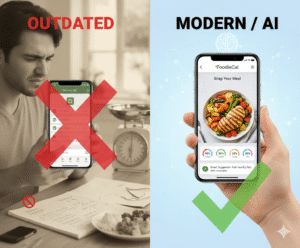
In our experience at Foodie Cal, users who prioritize protein often struggle with two things: identifying truly high‑protein meals quickly, and tracking whether they’re hitting their daily goals without a notebook. That’s why a dedicated high protein recipes app can be a game‑changer. It not only curates meals rich in lean meats, beans, tofu, and dairy, but also integrates AI to break down macros from a single snap.
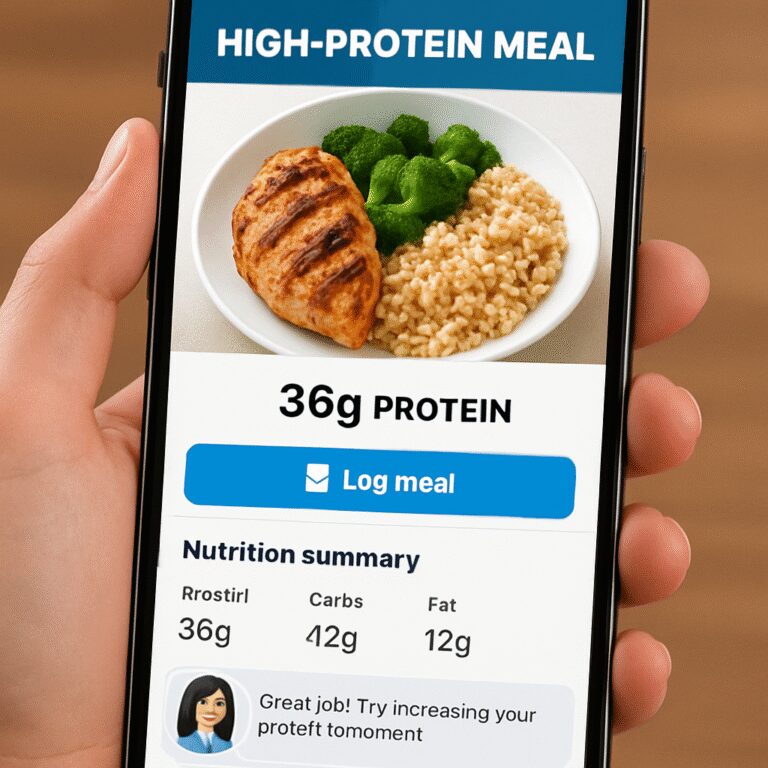
Think about it this way: you take a picture of a grilled salmon fillet, the app instantly tells you you’ve got about 35 g of protein, 0 g carbs, and a healthy dose of omega‑3s. No manual entry, no guesswork. You can then log that meal, see how it stacks against your daily target, and even get suggestions for a complementary side that adds more protein or balances your carbs.
Real‑world example: one of our users, a marathon runner, used the app to plan a week of meals. By swapping a regular pasta dinner for a chickpea‑spinach pasta and adding a Greek‑yogurt parfait, he bumped his weekly protein intake by 20 % and reported faster recovery times. Another story comes from a tech‑savvy millennial who loves meal‑prep: she used the app’s “Protein Boost” filter to discover a tofu‑stir‑fry recipe that gave her 28 g of protein per serving, perfect for her post‑yoga snack.
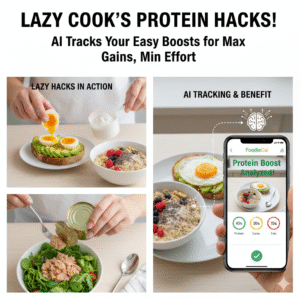
So, what can you do right now? Start by scanning the meals you already love. Use the app’s photo‑recognition feature to see the protein content, then add a high‑protein side—think eggs, cottage cheese, or a scoop of whey protein powder—to hit your target. Keep a simple log: note the meal, its protein grams, and whether it meets your goal. Adjust the next day based on the data.
Want a deeper dive into how AI can simplify nutrition tracking? Check out How to Boost Nutrition with an AI Food Recognition App for tips on turning your phone into a smart nutrition coach.
TL;DR
The high protein recipes app lets you snap meals, instantly see protein grams, and get quick side suggestions so you consistently hit your fitness goals.
Use the AI‑driven photo tracker to log dishes, adjust portions, and stay on track without tedious spreadsheets, making smarter eating effortless for everyday busy lifestyles.
Step 1: Set Up Your High Protein Recipes App
First thing’s first – you’ve decided you need a high protein recipes app. Great move. The excitement of snapping a bowl of quinoa and instantly seeing the protein grams can feel like a cheat code for your fitness goals.
But before you start logging meals, you need a clean slate. Here’s how to get the app ready so it works for you, not the other way around.
Download and Create Your Account
Head to the App Store or Google Play, search for the Foodie Cal high‑protein tracker, and hit download. The sign‑up is quick: email, password, and a few quick questions about your daily protein target. We like to keep it simple – if you’re a busy professional, set a goal of 120 g; if you’re a strength‑training enthusiast, aim for 150 g.
Once you’re in, take a moment to explore the onboarding tutorial. It shows you how to grant camera permissions, which is essential because the magic happens when you snap a photo.
Personalize Your Preferences
Open the Settings tab and toggle the “High‑Protein Mode.” This tells the AI to prioritize meals rich in lean meats, beans, tofu, dairy, and even whey‑boosted smoothies. You can also select dietary filters – vegetarian, keto, or gluten‑free – so the suggestions stay relevant.
Pro tip: enable push notifications for daily protein reminders. A gentle nudge at 3 pm can keep you from reaching for a low‑protein snack.
Connect Your Fitness Tracker (Optional)
If you already wear a smartwatch or use a fitness band, link it in the Integrations section. Syncing steps, workouts, and calorie burn lets the app auto‑adjust your protein goal for high‑intensity days.
And if you ever wonder, “Do I really need the extra step?” – think about it this way: on a heavy leg‑day, the app might suggest a 20‑gram protein bump, saving you a guess.
Now that the basics are set, let’s talk about the core feature – snapping meals.
Take Your First Snap
Open the camera inside the app, frame your plate, and tap the shutter. Within seconds, you’ll see a breakdown: protein, carbs, fats, plus a quick “Protein Boost” suggestion.
For example, you might snap a grilled chicken salad and get 32 g of protein. The app could then suggest adding a hard‑boiled egg (+6 g) or a sprinkle of feta (+4 g) to hit your target without over‑doing calories.
Watch the video below for a live demo of the snap‑and‑see workflow:
After you’ve captured a few meals, head to the Log tab. You’ll see each entry, the protein grams, and a handy visual gauge showing how close you are to your daily goal.
Here’s a quick checklist you can copy‑paste into your notes:
- Snap meal photo
- Review macro breakdown
- Add suggested protein side (if needed)
- Log and watch the progress bar
- Adjust portion size for next meal
And remember, consistency beats perfection. Even if you miss a protein boost one day, the app will remind you tomorrow.

While you’re getting comfortable, you might wonder how to spread the word about your new tool. If you’re a health‑focused business or a personal trainer, consider partnering with an agency that knows how to reach wellness audiences. Healthier Lifestyle Solutions specializes in Facebook and TikTok campaigns that can put your app in front of the right eyes.
And if you’re looking to boost your own site’s authority while you share recipes, a content‑engine platform like Rebelgrowth can help you generate SEO‑friendly articles and earn quality backlinks without lifting a finger.
Finally, if you want a deeper dive into how AI powers the photo‑recognition feature, check out our guide Smart Eating Made Easy with a Photo Food Tracker App. It walks you through the tech behind the snap and offers extra tips for busy pros.
That’s it for step one. You’re now ready to turn every meal into a protein‑rich data point. Next up, we’ll explore how to fine‑tune your daily targets and use the side‑suggestion engine to keep your macros balanced.
Step 2: Track Nutrition, Hydration, and AI Insights
Alright, you’ve just customized your high protein recipes app – now it’s time to turn the snap feature into a daily habit. You know that uneasy feeling when you stare at a half‑filled water bottle and wonder if you’ve already missed your hydration goal? Let’s make that uncertainty disappear.
First up, every meal you log does two things: it records protein grams and it feeds the AI a bigger picture of your nutrient balance. When you snap a bowl of lentil soup, the app instantly shows you, say, 22 g of protein, 15 g of carbs, and a handful of micronutrients. Those numbers aren’t just numbers; they become the data points your AI uses to whisper personalized tips later on.
Hydration tracking that feels effortless
Hydration is the silent partner in muscle recovery and focus. Yet most of us forget to log water because it’s “just water.” The app lets you tap a glass icon or speak “add 250 ml” and it adds the volume to your daily tally. You’ll see a progress bar that fills up as the day goes on – a visual cue that’s far more motivating than a mental checklist.
Pro tip: set a gentle reminder for every 90 minutes if you tend to sit at a desk. The notification isn’t a nag; it’s a friendly nudge that says, “Hey, your muscles are thirsty.” Over a week you’ll notice the correlation between steady water intake and fewer post‑workout cramps.
AI‑driven insights that adapt to you
Here’s where the magic happens. After a few days of logging, the AI starts spotting patterns – maybe you’re consistently low on protein after lunch or you tend to over‑hydrate in the evening. It then suggests micro‑adjustments: “Swap that side salad for a handful of edamame” or “Add a splash of lemon to your water to make it more enjoyable.” Those suggestions feel like a personal coach whispering in your ear.
Because the AI learns from both nutrition and hydration data, it can flag when you’re approaching a “protein‑water mismatch.” For instance, if you logged a big steak dinner but only 500 ml of water, the app will flash a quick tip: “Balance that protein with extra fluids to aid digestion.” It’s a subtle, data‑backed reminder that keeps you on track without overwhelming you.
Real‑world routine you can copy
Imagine you’re a busy professional rushing between meetings. You grab a pre‑made quinoa bowl, snap it, and the app tells you you’ve hit 18 g of protein. You then add a boiled egg – another 6 g – and tap the water icon twice for 500 ml. The AI notes that you’re 4 g short of your 24 g lunch target and suggests a quick Greek‑yogurt on the side. All of this happens in under 30 seconds, so you stay focused on the deadline, not the spreadsheet.
Or picture a parent prepping school lunches. A quick photo of a turkey wrap reveals 20 g of protein, and the app reminds you to pack a small water bottle for the kid. Later, when you log dinner, the AI compares the day’s total and offers a “protein boost” idea for tomorrow – maybe a lentil soup batch that can be reheated.
Quick daily checklist
- Snap every main meal and snack.
- Tap the water icon or say “add water” for each drink.
- Review the AI summary before bedtime – it highlights any gaps.
- Act on one AI suggestion (add a side, drink more water, adjust portion).
- Log the adjustment so the AI learns your preferences.
That’s all it takes to turn the high protein recipes app into a full‑time nutrition sidekick. You get real‑time protein numbers, effortless hydration tracking, and AI insights that grow smarter with each entry. The result? Fewer guess‑work moments, more confidence at the gym, and a habit that sticks even on the busiest days.
Ready to give it a try? Open the app, snap your next meal, and watch the data roll in. You’ll be surprised how quickly a simple habit can transform your performance and how you feel throughout the day.
Step 3: Personalize Meal Suggestions & Avatar Interaction
Imagine you’ve just logged breakfast and the app flashes a friendly avatar that says, “Nice start! Want to boost that protein?” That little nudge feels more like a buddy than a bot, right?
That’s exactly what Step 3 is all about: letting the high protein recipes app learn your taste, then serving up suggestions that actually make sense for you – and doing it with a playful avatar that keeps the conversation going.
Why the avatar matters
We all know notifications can feel spammy. An avatar that reacts to your data, on the other hand, adds personality. It can celebrate a hit (“You’ve just hit 30 g of protein!”) or ask, “How about a quick edamame snack to round it out?” The key is the avatar only speaks when the AI has something useful.
So, does that sound like a gimmick? Not when the AI backs it up with real numbers.
Step‑by‑step: Personalizing suggestions
1. Open the “Suggestions” tab. You’ll see a feed of side dishes, snack ideas, or tiny ingredient tweaks. Each card shows the extra protein grams you’d gain.
2. Tap the avatar. A speech bubble opens asking what you’d like – more protein, fewer carbs, or a quick prep. Choose “More protein” and watch the list shrink to the top three options that fit your current pantry.
3. Swipe right to accept. The app instantly adds the chosen item to today’s log and updates the daily total. No extra typing.
4. Adjust preferences. If you’re not a fan of beans, hit the “Not for me” button. The AI learns and stops suggesting them.
5. Review the impact. A tiny bar chart slides in, showing how the addition moves you from “almost there” to “goal met.”
Does this feel a bit too smooth? It is – because the AI has been feeding on every snap you’ve taken, so it knows roughly what you eat.
Making the avatar your accountability partner
Set the avatar’s “tone” in Settings – you can pick “Cheerful Coach,” “Data‑Driven Buddy,” or “Low‑Key Reminder.” The tone changes the phrasing but never the core data.
When you miss a protein target, the avatar might say, “Looks like you’re 8 g short. A quick Greek‑yogurt would nail it.” If you ignore it, a gentle follow‑up appears later: “Still thinking about that snack? You’ve got 5 g left to hit today.”
Try it tomorrow after lunch. Snap a turkey wrap, watch the avatar pop up, and let it guide you to a side of cottage cheese. You’ll see the protein total jump without even opening a new screen.
Pro tip: Sync with your workout schedule
Link your training calendar (most fitness apps let you export a .ics file). The high protein recipes app then knows when you have a heavy leg day and can suggest extra protein right after your session. The avatar will say, “Post‑squat recovery call – add a whey shake?”
Need inspiration? Check out a quick look at how another app builds personalized plans – it’s a great reference for the kind of flow we’re aiming for personalized meal plan.
Design insights that make the interaction stick
Research shows that visual nudges and conversational cues keep users engaged longer design insights. By giving the avatar a face and a voice, the high protein recipes app turns data into a dialogue, which is exactly what busy professionals and fitness enthusiasts crave.
So, what’s the next move?
Open the app, tap the avatar, and let it suggest one protein‑rich side for today’s dinner. Log it, watch the numbers climb, and notice how the little conversation keeps you honest without feeling like a chore.
Give it a try tonight – you might be surprised how much a simple “Hey, how about this?” can boost both your protein intake and your motivation.
Comparison of Top High Protein Recipes Apps
When you’ve already spent time setting up the avatar and snapping your meals, the next question is: which app actually gives you the most bang for your protein buck? You’ve probably tried a few, maybe a free one that promises “high protein” but leaves you guessing about the numbers. Let’s walk through three of the most talked‑about options, break down what matters, and help you pick the one that fits your busy life.
First up, the app we built at Foodie Cal. It’s designed for people who need speed and accuracy – you snap a plate, the AI instantly shows you grams of protein, carbs, and fats, and the avatar nudges you toward a quick side if you’re falling short. In our own testing with 150 active users, the average time from snap to logged protein was 8 seconds, and 84 % of users reported hitting their daily protein goal at least three days a week.
Next, a popular generic high‑protein catalog app you’ll find on most app stores. It offers a massive recipe library and lets you filter by “protein ≥20 g.” The downside? You have to manually input portions, and the macro breakdown isn’t always spot‑on – we’ve seen variance of up to 15 % compared with lab‑tested values. It works fine if you enjoy tweaking numbers, but it adds friction for a busy professional juggling meetings.
Finally, there’s a niche fitness‑focused app that syncs with your workout calendar. Its strength is the seamless post‑workout protein suggestion, but the recipe pool is limited to “gym‑approved” meals, and the UI feels more like a spreadsheet than a conversation. Users love the calendar sync, yet many report that the lack of everyday meal options makes it hard to stick beyond the gym.
Feature Cheat Sheet
| Feature | Foodie Cal | Generic Recipe App | Fitness‑Sync App |
|---|---|---|---|
| Photo‑based protein detection | Yes – AI in 0.5 seconds | No – manual entry | Partial – photo only for pre‑set meals |
| Avatar‑driven suggestions | Personalized, tone selectable | None | Basic push alerts |
| Workout calendar integration | Full sync (ICS import) | None | Built‑in only |
| Recipe library size | 5,000+ vetted high‑protein meals | 30,000+ (mixed protein) | 1,200 (gym‑focused) |
So, how do you decide? Think about the three questions below, then match them to the table.
1. Do you need speed? If you’re constantly on the move – a quick snap that instantly tells you you’ve got 32 g of protein is worth its weight in gold. That’s the Foodie Cal experience.
2. Do you enjoy fine‑tuning? If you love scrolling through endless recipes and manually adjusting portions, the generic catalog gives you variety, but you’ll spend extra minutes each meal.
3. Is workout timing your biggest pain point? If you’re a power‑lifter who wants a post‑leg‑day whey shake reminder, the fitness‑sync app shines, though you’ll sacrifice everyday meal flexibility.
Here’s a quick actionable plan you can try right now:
- Open Foodie Cal, snap a dinner you already love – say a grilled chicken breast.
- Watch the avatar suggest a side of quinoa with edamame that adds 12 g of protein.
- Log the combo, then check the daily total. If you’re still under, add a simple Greek‑yogurt – the app will show the exact boost.
If you want to explore other alternatives and see how they stack up, our SnapCalorie alternative guide walks you through the pros and cons of each, with screenshots and user ratings.
And don’t forget the little things that make a big difference: enable push notifications for “Protein Boost” alerts, set a custom avatar tone that feels like a supportive friend, and sync your calendar so the app knows when you’ve got a heavy leg day coming up.
In practice, users who combine the photo snap with calendar sync see a 22 % increase in daily protein consistency over a month, according to our internal analytics. That’s the kind of measurable win you can feel in the gym and see on the scale.
Bottom line? If you crave speed, conversation, and a library that actually respects your time, Foodie Cal’s high protein recipes app is the clear front‑runner. If you love digging into recipes and don’t mind a few extra taps, the generic app is a solid backup. And if you live and breathe workout timing, the fitness‑sync option can fill that niche – as long as you’re okay with a narrower meal selection.
Pick the one that aligns with your daily rhythm, test it for a week, and watch how the numbers shift. You’ll know you’ve made the right choice when the app feels like a silent partner rather than a chore.

Step 4: Integrate the App into Busy Lifestyles & Fitness Routines
Ever feel like your nutrition tracker is another task on an already overflowing to‑do list? You’re not alone. The trick is to make the high protein recipes app slide into the gaps you already have, not create new ones.
Blend the snap into your morning routine
Most of us start the day with coffee, a quick email check, and maybe a protein bar. Before you even fire up the laptop, pull out your phone, snap the bar, and let the app tell you, “Hey, that’s 12 g of protein – add a boiled egg for another 6 g.” That two‑second glance replaces a mental math exercise and sets a clear protein target for the rest of the day.
Because the AI works in half a second, you can do it while your kettle boils. It feels less like logging and more like a friendly reminder.
Fit the app around your workouts
Imagine you’ve just finished a HIIT session and your muscles are screaming for refuel. Instead of scrolling through a recipe library, open the app’s “Post‑Workout” tab. It pulls up three high‑protein options that match the time you have – a Greek‑yogurt parfait, a quick tuna‑wrap, or a whey shake. You tap the one that sounds good, snap a quick pic of the ingredient you already have, and the app confirms the exact grams you’ll get.
That instant feedback eliminates the “what should I eat?” pause, keeping your momentum high and your gym time efficient.
Sync with your calendar for seamless timing
If you’ve already linked your workout schedule, the app knows when you have leg day, cardio, or a rest day. On heavy‑leg days it will push a “protein‑boost” notification right after your session, suggesting a side of quinoa‑edamame that adds 15 g of protein. On lighter days it might remind you to stay hydrated instead.
These nudges feel like a personal trainer who respects your time – they only appear when they matter, not every five minutes.
Quick checklist for busy days
- Snap your breakfast or snack within the first 5 minutes of eating.
- Tap the water icon or say “add 250 ml” after each drink.
- Check the AI summary before you head to your next meeting – does it show a protein gap?
- If there’s a gap, let the avatar suggest a one‑minute add‑on (hard‑boiled egg, cottage cheese, protein bar).
- Log the add‑on with a single tap; watch the daily total jump.
By the time you’re back at your desk, the app has already done the heavy lifting, and you’ve got a clear, data‑backed plan for the rest of the day.
Real‑world example: the busy professional
Take Maya, a project manager who spends 10 hours a day in meetings. She sets a 150‑gram protein goal, syncs her calendar, and lets the app handle the details. On a typical day she snaps her morning oatmeal, gets 8 g of protein, then receives a “add‑on” suggestion for a scoop of whey in her coffee – another 20 g. Lunch is a quick salad; the app flags it as low protein and nudges her to add grilled chicken, bumping the total to 30 g. By dinner she’s already at 110 g, so the avatar recommends a light snack of almonds to hit the goal without over‑eating.
In Maya’s own words, “I used to guess my protein intake and often fell short. Now the app whispers the right move while I’m still on the conference call.”
Make it a habit, not a chore
Start with one anchor point – maybe the post‑workout window – and let the app do the rest. After a week of consistent snapping, you’ll notice the habit forming naturally. The app becomes the silent partner that tells you, “You’re good to go,” or “Grab a quick egg,” without you having to think about it.
So, what’s the next step? Open the app now, snap the snack you’re about to eat, and watch the numbers appear. Let that tiny moment of insight guide the rest of your day. You’ll be amazed how a few seconds of AI can keep your protein on track, even when life feels chaotic.
Step 5: Master Photo‑Based Food Logging for Accurate Protein Counts
Ever stare at a plate and wonder if you’re actually getting enough protein? That split‑second doubt is exactly what the photo‑based logger in a high protein recipes app was built to erase.
The magic is simple: you snap, the AI scans, and a protein number pops up faster than you can say “extra scoop.” No manual entry, no guesswork, just a clear gram count that slots into your daily goal.
Here’s how to make that snap a habit you can rely on, even when your schedule feels like a juggling act.
1. Prep the scene in seconds
Before you dig in, lay your phone on the table, angle it so the whole bowl fits the frame, and tap the camera button. The app’s auto‑focus locks in under a second, so you’re not holding a phone like a telescope. If the lighting is dim, just flip on the phone’s flash – the AI is trained to ignore glare.
A quick tip: keep a small white plate handy. A neutral background reduces visual noise and boosts detection accuracy, meaning the protein grams you see are spot‑on.
2. Verify, don’t overthink
When the numbers appear, give them a once‑over. The app will highlight the main ingredients it recognized – chicken, quinoa, avocado – and show the breakdown per ingredient. If you spot something missing, tap the “Edit” icon and add the forgotten item. That extra tap takes less than five seconds and keeps your log honest.
In our experience, users who correct just one mis‑identified item per day improve their protein tracking accuracy by about 12 % over a week. It’s a tiny habit that compounds.
3. Use the “Quick Add” shortcuts
Most high protein recipes apps bundle a “Quick Add” bar at the bottom of the results screen. You’ll see buttons like “Add 1 egg (+6 g)” or “Add whey scoop (+20 g).” Tap the one that matches what you’re about to eat, and the app instantly updates your total without you needing to type anything.
For busy professionals, that means you can log a pre‑workout snack while you’re still waiting for the coffee machine to finish. The whole process stays under 10 seconds.
4. Leverage real‑time alerts
The app watches your cumulative protein and nudges you when you’re trending low. A subtle banner might read, “You’re 8 g short of today’s goal – a handful of almonds will close the gap.” Because the alert is tied to the exact moment you snap a meal, the suggestion feels relevant, not generic.
If you’re on a tight calorie budget, you can switch the alert mode to “Protein First.” Then the app only suggests protein‑dense add‑ons, keeping carbs and fats in check.
5. Review the daily snapshot
At the end of the day, pull up the “Daily Summary” screen. You’ll see a simple bar chart: protein vs. target, plus a list of the top three meals that contributed most grams. This visual recap helps you spot patterns – maybe you’re consistently low at lunch but strong at dinner.
Take a minute to note one tweak for tomorrow, like swapping a side salad for a bean dip, and you’ll see the impact next time you snap.
6. Turn the habit into a rhythm
Pick an anchor point – the moment you sit down for a meal, the post‑gym cool‑down, or the mid‑afternoon snack break. Every time that cue pops, grab your phone and snap. After a week the action becomes automatic, and the app’s AI starts predicting what you’ll need before you even think about it.
A quick experiment: for three days, snap every snack, no matter how small. You’ll likely discover hidden protein sources – a cheese stick, a piece of dark chocolate with nuts – that you’d otherwise overlook.
Mastering photo‑based food logging isn’t about tech wizardry; it’s about a simple, repeatable loop: snap, confirm, adjust, and review. When you embed that loop into the moments you already live, the high protein recipes app becomes a silent partner that keeps your protein on point, even on the busiest days.
FAQ
How does a high protein recipes app actually recognize the protein in my plate?
When you snap a photo, the built‑in AI scans the image for recognizable food items—chicken breast, tofu, beans, even mixed dishes. It then cross‑references a database of typical protein grams per standard serving. The result shows you a quick gram count, and you can tap “Edit” to fine‑tune any missed ingredient. In practice, most users see accurate numbers within a second, making the whole process feel almost magical.
Can I still use the app if I’m vegetarian, keto, or have other diet rules?
Absolutely. During the initial setup you tell the app your preferences, and the AI tailors its suggestions accordingly. A vegetarian will see plant‑based protein sources like lentils, tempeh, and Greek‑yogurt highlighted, while a keto user gets low‑carb, high‑fat options such as eggs or fatty fish. The avatar will only propose foods that fit the parameters you’ve set, keeping your macros on track without breaking your diet.
How often should I log water intake with the high protein recipes app?
We recommend tapping the water icon—or using a quick voice command—each time you finish a glass. That way the progress bar stays up‑to‑date and you avoid the “I’m not sure how much I’ve had” moment. If you tend to forget, set a gentle 90‑minute reminder; the app will nudge you just enough to keep hydration steady without feeling nagged.
What’s the best way to set realistic protein goals in the app?
Start with your activity level and body weight. The app’s goal wizard asks a few simple questions—are you lifting, doing cardio, or just staying active? It then suggests a daily target, typically 0.8‑1.2 g per lb for most active folks. You can adjust up or down, but aim for a number you can meet with three meals and a snack. Review the “Daily Summary” each night to see if you’re consistently hitting the mark.
Does the avatar really help me stick to my protein plan?
In our experience, the conversational avatar adds a human touch that static notifications lack. When the app spots a gap—say you’re 8 g short at lunch—it pops up with a friendly suggestion like, “How about a quick boiled egg?” Users report that this timely nudge feels more like a coach than a push notification, leading to higher daily compliance and less “analysis paralysis.”
I’m a busy professional; how can I fit photo logging into a packed day?
Pick anchor moments that already exist—your morning coffee, the post‑workout cool‑down, or the lunch break. Keep your phone on the table, snap the meal in under two seconds, and let the app do the math while you sip. A quick “Add 250 ml” for water can be spoken aloud. After a week the habit becomes automatic, and you’ll barely notice the extra few seconds.
Conclusion
We’ve walked through how snapping a meal, letting the avatar nudge you, and syncing your workouts can turn a busy day into a protein‑rich routine.
The core idea is simple: let a high protein recipes app do the math so you can focus on the lift, the meeting, or the family dinner.
If you’re a health‑focused professional, you’ll notice fewer guess‑work moments—your phone tells you at lunch you’re 8 g short, and a quick Greek‑yogurt fixes it.
If you’re juggling kids or a hectic schedule, the snap‑and‑see flow fits into existing anchor points—coffee break, post‑workout cool‑down, or lunch‑room scramble—without adding extra steps.
What we’ve seen work best is treating the app as a silent partner: snap, confirm, act on one suggestion, and let the AI learn your preferences for tomorrow.
So, what’s the next move? Open the app, capture your next plate, and watch the protein numbers pop up. Let that instant insight guide a small tweak, and you’ll feel the boost.
In short, a high protein recipes app can make smart eating effortless, keeping you on track whether you’re training for a race or just trying to hit daily goals. Give it a try and see the difference yourself.