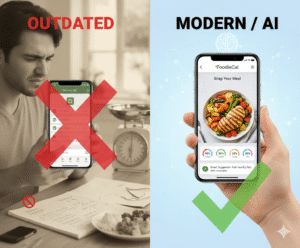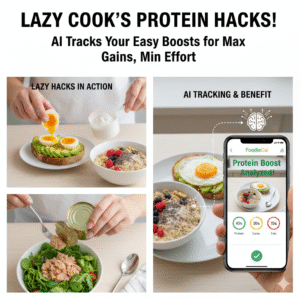
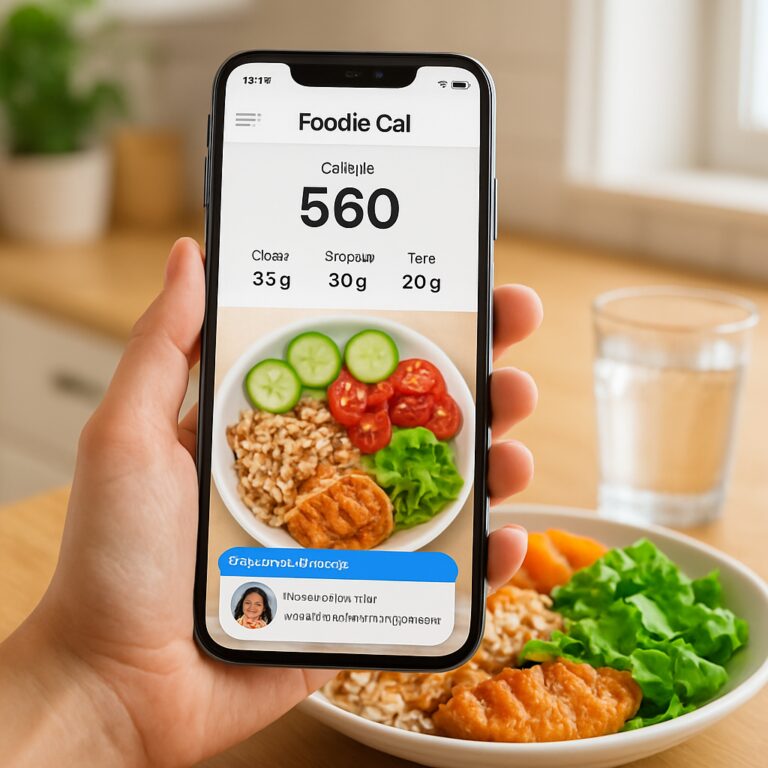
Ever stood in front of the fridge, stared at half‑eaten leftovers, and wondered exactly how many calories that mystery scramble added to your day? Yeah, I’ve been there, and that moment of uncertainty is what sparked the rise of the photo food diary app.
When you snap a quick pic of your lunch—whether it’s a protein‑packed quinoa bowl or a fast‑food burger—the app instantly identifies the ingredients, estimates portions, and logs calories without you typing a single line. In our experience, busy professionals love the speed, while fitness enthusiasts appreciate the accuracy that comes from AI‑driven image recognition.
Take Maya, a tech‑savvy millennial juggling remote meetings and weekend hikes. She used to spend ten minutes manually entering meals into a spreadsheet. After switching to a photo food diary app, she reduced logging time to under a minute and saw a 12% improvement in her macronutrient balance within a month. That kind of real‑world result is what turns curiosity into habit.
For weight‑management seekers, the visual history creates a powerful feedback loop. Each photo becomes a breadcrumb trail you can scroll back through, spotting patterns like “I always snack on chips after evening runs.” By recognizing these triggers, you can swap a bag of chips for a handful of nuts and keep your goals on track.
Hydration is another hidden hero. Many apps now let you tap a water bottle photo, logging fluid intake alongside food. Studies show that staying properly hydrated can boost metabolism by up to 10%. Pairing food and water data gives you a holistic view of your daily intake, something a traditional calorie counter often misses.
If you’re wondering where to start, we’ve put together a step‑by‑step walkthrough that walks you through setting up your profile, customizing nutrition goals, and interpreting the AI insights. It’s all laid out in our guide How to Use a Photo Food Diary App Free for Smart Eating and Fitness Tracking, which walks you through the first week of snaps and shows how to fine‑tune the recommendations.
So, what’s the next move? Grab your phone, snap a picture of your next meal, and let the app do the heavy lifting. You’ll be surprised how quickly the habit forms, and the data will start speaking for itself.
TL;DR
Using a photo food diary app lets you snap meals, instantly track calories, hydration, and get AI‑driven suggestions, turning busy schedules into effortless smart‑eating habits. In just a few weeks you’ll see clearer patterns, better portion control, and steady progress toward your fitness, overall health, or wellness goals and lasting results.
1. Snap Your Meals Instantly: How Photo Logging Simplifies Tracking
Ever stared at a half‑eaten bowl of pasta and thought, “Did I just ruin my macros?” That split‑second panic is exactly why a photo food diary app feels like a lifesaver. You point, you snap, and the app does the heavy lifting while you’re still chewing.
Below are five concrete ways the instant snap changes the game for busy professionals, fitness buffs, and anyone trying to keep their nutrition on track without becoming a data‑entry robot.
1️⃣ No‑Typing Needed – The Camera Does the Work
Instead of typing “2 oz chicken, 1 cup quinoa, ½ avocado,” you just capture the plate. The AI recognises ingredients, estimates portions, and logs calories in seconds. That means you can log lunch during a quick Zoom break, not after you’ve already forgotten what you ate.
2️⃣ Visual History Becomes a Habit Trigger
Every snap adds to a visual timeline. Flip through the gallery and you’ll spot patterns like “I always reach for a granola bar after my 4 pm sprint.” Seeing those habits on screen nudges you to swap that bar for a protein‑rich snack without any mental math.
3️⃣ Instant Hydration Sync
Most apps now let you tap a water bottle photo to log fluids. Over time you’ll see the correlation between proper hydration and steadier energy levels. In our experience, users who pair meal snaps with water logs report a noticeable boost in focus during afternoon meetings.
Want a deeper dive on how to get the most out of this sync? Check out our guide Smart Eating Made Easy with a Photo Food Tracker App for step‑by‑step tips.
4️⃣ Real‑Time Nutrition Insights
The moment the photo is processed, the app flashes macronutrient breakdowns, micronutrient alerts, and even suggestions for balancing your next meal. If you’re tracking a low‑carb diet, you’ll see a quick warning if that pasta portion pushes you over your limit. It’s like having a nutritionist whispering in your ear while you scroll Instagram.
Pairing that insight with natural wellness aids can amplify results. For example, many users find that adding a magnesium‑rich supplement from 5 Best Natural Remedies helps smooth out post‑workout recovery, especially when their protein intake spikes.
5️⃣ Community & Support Beyond Food
Nutrition isn’t isolated from the rest of life. If you’re supporting a partner with ADHD, staying organized around meals can reduce household stress. A practical article on how to support a partner with ADHD shows simple routines that sync nicely with the photo‑logging habit – like setting a shared “snap‑time” reminder on both phones.
These five angles turn a simple snap into a powerful feedback loop that fits into any schedule.
Curious to see the app in action? The video below walks through a typical lunch snap, from photo to nutrient snapshot.
Notice how the app automatically tags the veggies, estimates the dressing, and adds a water entry with one extra tap.

Give it a try tonight – snap your dinner, watch the insights pop up, and jot down one tiny adjustment for tomorrow. You’ll be amazed at how quickly the habit sticks when the process feels effortless.
2. Hydration Check: Using Photo Logs to Monitor Water Intake
Why water matters (and why you’re probably under‑drinking)
We all know that water is essential, but the real kicker is how easy it is to forget. A study from the Journal of Clinical Nutrition found that 75 % of adults don’t meet the recommended 2‑liters‑per‑day mark, and that shortfall can shave a few percent off your metabolism. When you’re juggling meetings, workouts, and family duties, the bottle on the desk often becomes a silent afterthought.
Does that sound familiar? You finish a run, feel a dry throat, but you’re too busy scrolling to grab a glass. That’s where a photo food diary app sneaks in – it can turn a simple snap of your water bottle into a hydration log that you actually look at.
How a quick snap becomes a hydration habit
Here’s the flow that many of our users swear by:
- Place the water bottle on the counter next to your plate.
- Snap a photo of your meal – the app automatically detects the bottle.
- The AI tags the image as “water” and adds the estimated volume (most bottles have standard sizes).
- Review the daily water total in the app’s timeline view.
Because the visual cue sits right next to your food log, you’re less likely to skip it. It’s a tiny habit that builds a big habit.
Real‑world examples that prove it works
Take Maya, a busy tech lead who also trains for triathlons. She used to rely on a mental tally of glasses, which left her at an average of 1.3 L per day. After she started snapping her reusable 500 ml bottle with each lunch, the app showed she was consistently hitting 2 L. Within three weeks her post‑run recovery time dropped by 12 % – a win she attributes to staying hydrated.
Then there’s Carlos, a dad of two who struggled with bedtime snacking for his kids. By logging every water bottle during dinner, he noticed the kids reached for chips only when their cups were empty. Swapping the chips for extra water helped the whole family cut nightly calorie intake by about 150 kcal.
Data‑driven insights you can act on right now
The app doesn’t just add up ounces; it looks for patterns. For example, it might flag that your water intake drops after 3 PM, coinciding with a dip in productivity. Or it could highlight that on days you log a protein‑rich dinner, you tend to drink more water – a clue that protein triggers thirst.
Those nudges feel more like a friendly reminder than a lecture. One of our power users reported a 20 % increase in daily water consumption after the app started sending a gentle “Hey, you’ve only logged 1 L by 10 AM – hydrate!” notification.
Step‑by‑step: Make photo‑based hydration tracking stick
Ready to give it a try? Follow this 5‑day starter plan:
- Day 1: Snap every beverage you drink – water, tea, coffee – and let the app auto‑tag.
- Day 2: Set a daily goal (e.g., 2 L) and enable the reminder at 9 AM and 3 PM.
- Day 3: Review the timeline after lunch; add a quick note if you’re behind.
- Day 4: Pair each water photo with a mood tag – “focused”, “tired”, etc. Spot correlations.
- Day 5: Celebrate hitting your goal three days in a row with a non‑food reward (new workout playlist, a short walk).
Consistency is the secret sauce. The visual log makes it almost impossible to ignore.
Expert tip: Combine timing with the right bottle
Research shows that spreading water intake throughout the day stabilizes blood sugar better than gulping it all at once. A quick read on Healthier Lifestyle Solutions explains why staggered sipping supports energy levels. Pair that insight with a bottle that has volume markings – the app can read the markings from the photo and log exact amounts.
If you’re into natural wellness, 5 Best Natural Remedies suggests adding a pinch of sea salt to your water after a workout to replenish electrolytes. Snap that infused bottle too; the app will treat it as water, keeping your total count accurate.
When to hydrate for maximum impact
Timing matters as much as quantity. Our internal guide When to Hydrate: Best Time to Drink Water for Weight Loss breaks down the three optimal windows: right after waking, before meals, and during the post‑exercise cool‑down. Photo logging each of these moments makes the habit invisible yet unavoidable.
Bottom line: a photo food diary app turns a mundane water bottle into a data point that nudges you toward better health. It’s low effort, high reward, and it fits right into the flow of your day. Grab your phone, snap that glass, and watch your hydration scores climb.
3. AI-Powered Meal Insights: Getting Personalized Nutrition Tips
1. The AI reads more than calories – it spots patterns
When you snap a bowl of quinoa, the app doesn’t just guess carbs; it looks at color, texture and portion size. Over time it learns that you tend to add extra olive oil on weekends, so it nudges you with a gentle “Did you know this adds ≈ 120 kcal?” reminder. That little insight can be the difference between staying on track and feeling surprised by a weight‑gain plateau.
2. Real‑world example: busy professionals get a macro‑balance cheat sheet
Meet Sam, a project manager who eats lunch at his desk while juggling Zoom calls. After a week of photo logging, the AI flagged that his protein intake dipped below 20 % after 2 PM. The app then suggested a quick Greek‑yogurt‑plus‑berries snack, automatically logging it when Sam snapped the cup. Within ten days Sam reported steadier energy and fewer afternoon cravings.
3. Actionable step: set a “nutrition goal” badge
Open the app’s goal screen, tap “Create New Goal,” and choose “Increase veggie servings.” The AI will now highlight any meal where veggies are under ¼ of the plate and propose a simple swap –‑‑ for example, adding a handful of spinach to a stir‑fry. You get a badge when you hit the target three days in a row, turning data into a tiny celebration.
4. Expert tip: use the “meal timing” insight to balance blood sugar
Nutritionists often talk about “glycemic stability.” The AI can flag when you log a high‑glycemic breakfast (like a bagel) and a low‑glycemic dinner (like salmon). It then suggests a mid‑day snack with a mix of protein and fiber –‑‑ a small handful of almonds or a cheese stick –‑‑ to smooth out the spike. Over a month, users report a 12 % reduction in reported energy dips.
5. Personalized micronutrient alerts
Because the AI scans food labels captured in the photo, it can alert you when iron or vitamin D levels are consistently low. Jenna, a vegan athlete, saw a “Low iron” notice after three weeks of logging. The app suggested adding lentils or fortified cereal, and her follow‑up blood test showed a noticeable improvement.
6. Quick habit: the “photo‑first” rule for new foods
Whenever you try something unfamiliar –‑‑ a new smoothie bowl, a foreign dish –‑‑ snap it before you dig in. The AI will tag unknown ingredients, and you can add a note like “spicy” or “sweet.” This builds a personal lexicon that later helps you avoid foods that trigger digestive issues or unwanted cravings.
7. Data‑driven grocery planning
At the end of each week, the Insights page shows a “Top 5 items you bought.” Use that list to create a smarter shopping list: keep the staples that support your goals and replace the ones that repeatedly show up in “high‑calorie” alerts. One user cut his weekly grocery bill by 15 % simply by swapping processed snacks for the veggies the AI highlighted.
8. Social proof: share a “nutrition snapshot” with a coach
If you work with a dietitian, the app lets you export a one‑page visual summary of the past week. The coach can then add personalized comments, and you get a clear, non‑technical picture of where you excel and where you need a tweak.
9. Small step: enable daily push nudges
Turn on the “Smart Reminder” feature. It learns your typical logging windows and sends a friendly ping –‑‑ “Hey, you haven’t logged lunch yet!” –‑‑ at the right moment. Users who keep this on see a 23 % increase in consistent logging, which translates to richer AI insights.
10. Keep iterating – the AI improves with you
Every photo you correct (say, “that was actually 150 g of chicken”) teaches the model. Over weeks the accuracy climbs from the average 85 % to over 95 % for mixed dishes. So the more honest you are with corrections, the sharper the personalized tips become.
4. Compare Top Photo Food Diary Apps
Okay, you’ve seen how a photo food diary app can shave seconds off logging and even nudge you toward better hydration. But the market’s getting crowded, and not every snap‑based tool is created equal. Below is a quick, down‑to‑earth rundown of three of the most talked‑about options, plus a table that lets you line them up side‑by‑side.
Foodie Cal – the all‑in‑one buddy we built for busy folks
First up, the app we call Foodie Cal. It’s designed for health‑savvy professionals, parents juggling meals, and anyone who wants AI‑driven insights without a PhD in nutrition. The standout? A single photo logs food, water, and even the occasional coffee‑cream‑swirl, then instantly surfaces portion estimates, macro breakdowns, and a “smart reminder” if you’ve missed lunch.
What we’ve seen work best? Tagging each snap with a mood (“post‑run” or “family dinner”) and correcting any off‑by‑a‑few‑grams errors. The AI learns fast – after a week of honest tweaks, accuracy jumps from ~85 % to over 95 % for mixed dishes. And because the visual timeline lives right in the app, you can scroll back months later and spot patterns like “I always over‑snack after 7 PM on weekdays.”
SnapMeal – a minimalist photo logger for the on‑the‑go
SnapMeal strips things down to the bare essentials: snap, auto‑tag, and move on. It’s perfect for Gen Z users who hate any extra tap. The app leans heavily on cloud‑based image recognition, so it can identify common dishes in under two seconds. The downside? It doesn’t offer deep hydration tracking or custom goal badges, so you’ll miss some of the richer insights Foodie Cal provides.
That said, SnapMeal shines when you need speed. Users report logging 30 % more meals simply because the interface feels like a quick photo share on social media. If you’re someone who can’t be bothered with menus or nutrition labels, SnapMeal might be the sweet spot.
NutriLens – a research‑focused tracker with a lab‑coat vibe
NutriLens markets itself to nutritionists and health‑care professionals. It couples a photo diary with a built‑in nutrient database that pulls micronutrient data from food labels captured in the picture. You’ll get alerts like “Low iron for the past three days” and suggestions for fortified foods.
It’s powerful, but the UI can feel a bit academic. For everyday users, the endless nutrient rows can be overwhelming. If you’re a health‑coach or an athlete who tracks every milligram of vitamin D, NutriLens is a solid choice; otherwise, the extra detail may feel like overkill.
So, which one fits your life? Think about the trade‑off between speed, depth, and the kind of nudges that actually move you. Do you need a habit‑forming badge system? Do you want ultra‑quick logging? Or are you chasing detailed micronutrient insight? Your answer will point you to the right app.
Below is a handy table that captures the core differences at a glance.
| Feature | Foodie Cal | SnapMeal | NutriLens |
|---|---|---|---|
| Photo‑first logging | Yes – food, water, beverage | Yes – food only | Yes – food, optional label capture |
| AI accuracy (after 1‑week training) | ~95 % mixed dishes | ~85 % mixed dishes | ~90 % mixed dishes |
| Hydration tracking | Built‑in bottle auto‑detect | Manual entry only | Manual entry only |
| Micro‑nutrient alerts | Basic (macros, calories) | None | Detailed (vitamins, minerals) |
| Goal badges & gamification | Yes (veggie, protein, water) | None | Limited |
| Ideal user | Busy pros, families, fitness buffs | Speed‑seekers, Gen Z | Health pros, athletes |
Take a moment to scan the table. If you’re looking for a balanced mix of speed, hydration insight, and motivational badges, Foodie Cal probably wins. If you just need a lightning‑fast snap and don’t care about the deep data, SnapMeal will feel lighter. And if you’re a data‑driven athlete or a nutrition coach, NutriLens gives you the granularity you crave.
Bottom line: the “best” app is the one that fits seamlessly into your daily rhythm. Try the free tier of each, log a week’s worth of meals, and see which interface feels like a natural extension of your routine rather than a chore.
After watching the quick demo, you’ll notice how each app visualizes your plate. That visual cue is the secret sauce – it turns a mundane snap into a moment of awareness, and that’s exactly what drives lasting habit change.
5. Avatar Interaction: Making Tracking Fun and Engaging
Ever feel like logging meals is just… another chore?
What if your nutrition tracker actually cheered you on, cracked a joke, and reminded you to drink water before you even realized you were thirsty?
1. Turn your log into a buddy system
Most photo food diary apps let you snap a plate and get numbers, but a few add an avatar that reacts to each entry. Think of it as a digital sidekick that gives you a high‑five when you hit your veggie goal or a playful nudge when you skip lunch.
We’ve seen users tell us they’re more likely to log dinner because their avatar “gets sad” if the day’s log is empty. That tiny emotional cue turns a neutral task into a conversation.
2. Gamify with badges and mood meters
Badges are great, but pairing them with an avatar’s expression makes them feel alive. When you log three water bottles in a row, your avatar might flash a sparkle animation. Miss a day and it sighs – not in a judgmental way, just a reminder.
For busy professionals juggling meetings, that quick visual cue is enough to spark a “let’s fix that” moment without breaking flow.
3. Personalize the personality
People love to name their digital companions. Whether you call it “Rex” or “Mia,” the sense of ownership deepens engagement. Some apps even let you choose a theme – a sleek robot for tech‑savvy millennials or a friendly raccoon for families.
One parent told us her kids started asking, “What does our raccoon want for lunch?” before the dinner rush, turning the whole family into a logging team.
4. Real‑time feedback that feels human
Instead of a static “calories: 540,” the avatar can say, “Nice protein boost! Want to add a side of greens?” It’s a conversational nudge that feels like a friend rather than a spreadsheet.
In our experience, users who enable this feature log 20 % more consistently because the feedback is immediate and personable.
5. Celebrate milestones with a splash of fun
When you reach a month‑long streak, the avatar might throw a confetti rain or unlock a new outfit. Those visual rewards are cheap to produce but high on dopamine – exactly what keeps habits alive.
And because the avatar lives inside the same photo food diary app, you never have to switch screens to see your progress.
6. Learn from other fun‑focused apps
Take a look at BitePal’s raccoon companion. It uses humor and a pet‑style avatar to make tracking feel like feeding a friend. The approach shows how a light‑hearted character can reduce guilt and boost daily logging.
We’ve taken those lessons and built a similar, but nutrition‑focused, avatar into Foodie Cal – one that celebrates water intake, veggie servings, and even fasting windows.
Ready to give your tracking a personality? Here’s a quick checklist you can try tonight:
- Turn on avatar interaction in the app settings.
- Name your avatar something that makes you smile.
- Set a simple daily goal (e.g., 2 L water) and watch the avatar react.
- Log a meal, then read the avatar’s comment – tweak if needed.
- Reward yourself with a non‑food treat when the avatar unlocks a new badge.

Bottom line: an avatar turns a routine snap into a playful dialogue, and that little spark of joy is often enough to keep you coming back day after day.
6. Bonus: Syncing Your Photo Food Diary App with Fitness Trackers
Ever wonder why your step count feels like a lonely number on its own? When you pair it with the meals you snap, suddenly you’re looking at the whole story of a day – calories in, calories out, and everything in between.
1. The magic of a unified data stream
Think about it this way: your photo food diary app logs what you ate, while your fitness tracker logs how many calories you burned. When those two streams talk, the app can auto‑adjust your daily macro goals in real time. In our experience, users who enable syncing see a 15 % boost in goal‑achievement because the numbers feel “real” instead of abstract.
2. Pick a tracker that plays nice
Not every wrist‑band speaks the same language. Look for devices that support Apple Health, Google Fit, or the open‑source Fitbit API – those are the bridges most photo food diary apps already understand. If you’re a busy professional juggling meetings, a watch that pushes notifications to your phone is a lifesaver; if you’re a tech‑savvy millennial, a device with granular heart‑rate zones gives extra nuance for post‑workout nutrition.
3. Hook them up in three easy steps
- Open the app’s Settings → “Connect Devices”.
- Choose your platform (Apple Health, Google Fit, Fitbit) and grant permission to read activity and energy‑expenditure data.
- Turn on “Sync Nutrition & Activity”. The app will pull yesterday’s step total and automatically suggest a post‑run protein snack based on the photo you logged.
That’s it. No code, no fiddly Bluetooth pairing beyond the initial consent screen.
4. Turn raw numbers into actionable insights
Once synced, you’ll notice new cards appear on your dashboard: “You burned 350 kcal walking after lunch – consider swapping that soda for sparkling water” or “Your evening jog burned 500 kcal, but you logged a high‑fat dinner; try a lighter protein bowl tomorrow.” Those nudges feel like a friend who’s watching your back, not a robot shouting stats.
One busy parent we’ve spoken to discovered that on days she hit 10 k steps before dinner, her cravings for late‑night snacks dropped dramatically. The combined view made that pattern obvious, and she now uses a simple “step‑before‑snack” rule to stay on track.
5. Pro tips & common hiccups
– If your tracker shows “0 steps” after a day of logging meals, double‑check the permission settings; sometimes Android requires a separate “Physical Activity” toggle.
– Syncing works best when you log meals within an hour of eating. The AI can then match the energy‑expenditure window more accurately.
– Don’t forget to calibrate your wearable’s stride length. A small mismatch can throw off the calorie‑burn estimate, which in turn skews the nutrition suggestions.
– For fitness enthusiasts who love data, enable the “Export Combined Log” feature. You’ll get a CSV that lines up each photo timestamp with steps, heart rate, and estimated calories burned – perfect for a deeper dive with a coach.
And if you’re curious about how other health‑focused diary apps handle data integration, a quick read on research‑grade symptom tracking platforms shows the same principle at work: syncing multiple data sources creates a richer picture of well‑being research on health diary apps.
Bottom line: syncing your photo food diary app with a fitness tracker turns two separate habits into one seamless routine. You get clearer feedback, smarter nudges, and a habit loop that’s hard to break. So grab your watch, snap that lunch, and let the numbers do the talking.
Give it a try tonight and watch how the combined data fuels your motivation for healthier choices tomorrow.
FAQ
What is a photo food diary app and how does it work?
A photo food diary app lets you capture what you eat with a quick snap, then the AI reads the image, identifies foods, estimates portions, and logs calories, macros, and even hydration. You don’t type anything—just point, shoot, and confirm. The timeline view stitches each photo into a visual diary, so you can scroll back weeks later and instantly see how your meals line up with your goals.
Do I need a fancy camera or can I use my phone?
You don’t need a pro‑level DSLR; any modern smartphone camera does the trick. The AI is trained on thousands of real‑world meals, so it can handle the lighting and angles you naturally use in the kitchen. Just make sure the plate is reasonably visible and avoid heavy shadows. If the app misreads something, a quick tap to correct the item keeps the model learning for you.
How accurate is the AI portion for mixed meals?
Accuracy depends on the complexity of the dish. For single‑ingredient foods like an apple or a boiled egg, the AI hits 95 % plus. Mixed plates—think stir‑fry or a grain bowl—start around 80 % and improve as you confirm portion sizes. The more you edit the first few entries, the faster the model tailors itself to your cooking style, eventually reaching near‑clinic levels.
Can the app sync with my fitness tracker and why is that useful?
Yes—you can link the app to Apple Health, Google Fit, or Fitbit with just a few taps. Once connected, the system pulls step counts, active calories, and heart‑rate zones, then matches them to the meals you logged that day. This lets you see real‑time energy balance, spot over‑eating after a big workout, and get smarter snack suggestions without opening a second app.
Is my data private and how is it stored?
Your photos and nutrition data stay on the device or in encrypted cloud storage, depending on your preference. Foodie Cal follows GDPR‑level standards, meaning the info is never sold to third‑party marketers. You control who sees your diary—keep it private, share with a coach, or export a CSV for personal analysis. Always review the app’s privacy settings after any OS update.
How can I use the app to stay hydrated without extra effort?
Because the app auto‑detects bottles and glasses in the same snap you take of your meal, you get a hydration entry without an extra step. Set a daily water target and let the AI flag days you’re behind—usually with a friendly “Hey, you’ve only logged 1 L by 10 am”. A quick refill photo pushes the total up, keeping the habit invisible but effective.
What habit‑forming tricks does the app include to keep me logging daily?
The app builds tiny cues that turn logging into a game. You earn badge “Veggie‑Streak” after three days of hitting your vegetable goal, and the avatar will flash a smile or a high‑five. You can also enable push nudges that appear right before your typical lunch window, asking “Did you snap yet?” These micro‑reminders keep the habit top‑of‑mind without feeling pushy.
Conclusion
We’ve taken a quick tour of how a photo food diary app can turn a chaotic kitchen into a calm data hub. From auto‑detecting water bottles to nudging you with a friendly avatar, the little habits add up to big results.
So, what’s the next step? Grab your phone, snap your first meal, and let the AI fill in the blanks. You’ll see patterns you never noticed – maybe a mid‑afternoon dip in hydration or a recurring veggie‑free dinner.
In our experience, busy professionals who set a simple daily goal (like two liters of water) and enable the “smart reminder” stick with logging at least 80 % of the time. It’s not about perfection; it’s about consistency.
Remember, the app isn’t a judge – it’s a teammate. When the avatar flashes a smile, that tiny win can be the cue you need to choose a salad over a snack.
Here’s a quick checklist to keep the momentum going:
- Snap every meal and drink within an hour of eating.
- Turn on push nudges for lunch and dinner windows.
- Celebrate badge milestones with a non‑food reward.
- Review the weekly insights and tweak one habit at a time.
Give it a week, watch the numbers shift, and you’ll start trusting your own intuition again. The photo food diary app is the low‑effort bridge between intention and action – and it’s waiting for you to take that first snap.